 Nic Dunn, CEO, Charle Agency
The Short Answer: When a Shopify Developer Pays for Itself
A Shopify developer pays for itself when the work touches revenue, speed or data. A storefront feature that lifts conversion, a faster theme that cuts bounce rate, or an integration that stops your team re-keying orders into an ERP are all jobs where a few days of skilled development outweigh months of manual workarounds or lost sales.
Shopify is built to be approachable, and plenty of stores run happily on a well-chosen theme and a handful of apps. The signs that you have outgrown that setup are usually practical:
- Your theme settings can no longer express your brand, so every merchandising change needs a workaround.
- Pages feel slow because stacked apps each inject their own scripts.
- Orders, stock and customer data sit in three systems that do not talk to each other.
- You are planning a migration or redesign, such as moving from Magento, WooCommerce or Visualsoft to Shopify.
- You are moving up to Shopify Plus and need checkout, B2B or multi-store logic that the standard admin does not cover.
If none of those apply, spend the budget on content, merchandising and testing first. We say so to prospective clients regularly, and it keeps the conversation honest.
What a Shopify Developer Actually Does
"Shopify developer" covers several different skills, which is why quotes for the same brief can differ so widely. Knowing the role helps you hire for the work you actually have rather than the job title on a CV.
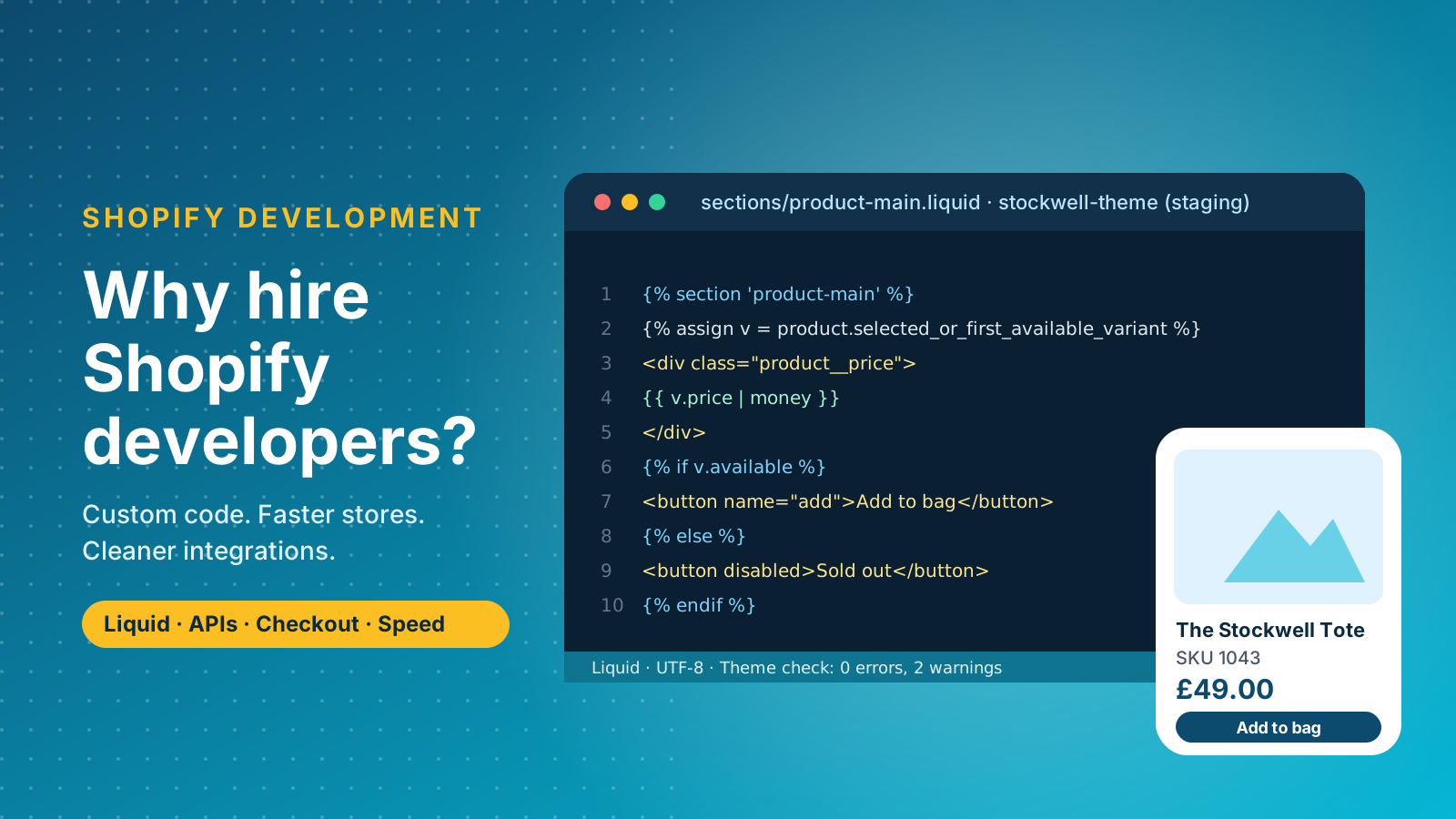
At the core is Liquid, Shopify's templating language, alongside HTML, CSS and JavaScript. A theme developer reads and edits that code to build sections, templates and storefront components the theme editor cannot produce. Shopify's own Liquid reference documents the objects and filters they use every day. Our guide to what a Shopify developer is covers the role in more depth.
Beyond the storefront, the work splits into three broad skill sets:
- Theme developers: build and tune the storefront. Their skills sit in Liquid, front-end code, accessibility and speed.
- App and integration developers: use the GraphQL Admin API and webhooks to connect Shopify to your ERP, warehouse, loyalty scheme or reporting stack, or build custom apps when the app store falls short.
- Shopify Plus and headless engineers: work on checkout extensibility, Shopify Functions, B2B catalogues and multi-store logic, and on custom front ends built on Shopify's APIs.
Most projects need a mix. A reliable team will tell you which skills your brief needs, and which it does not. Experience matters more than a long list of technologies: developers who have shipped dozens of Shopify stores know the platform's limits, which functionality belongs in the theme and which in an app, and how to keep the coding tidy enough that the next person can maintain it. That expertise is hard to judge from a CV, which is why the portfolio and interview steps later in this guide matter.
Seven Reasons to Hire a Shopify Developer
1. Custom theme development beyond templates
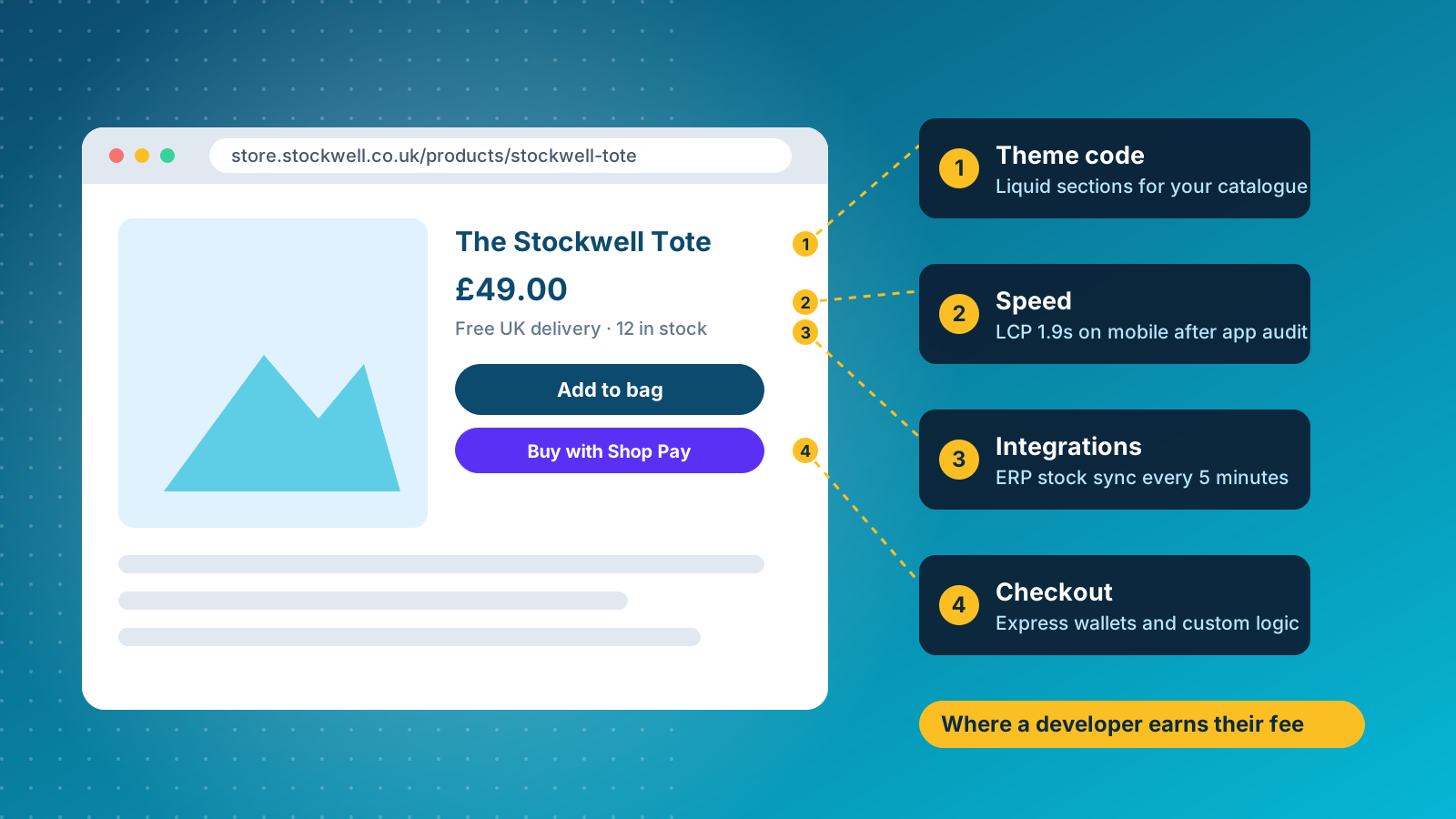
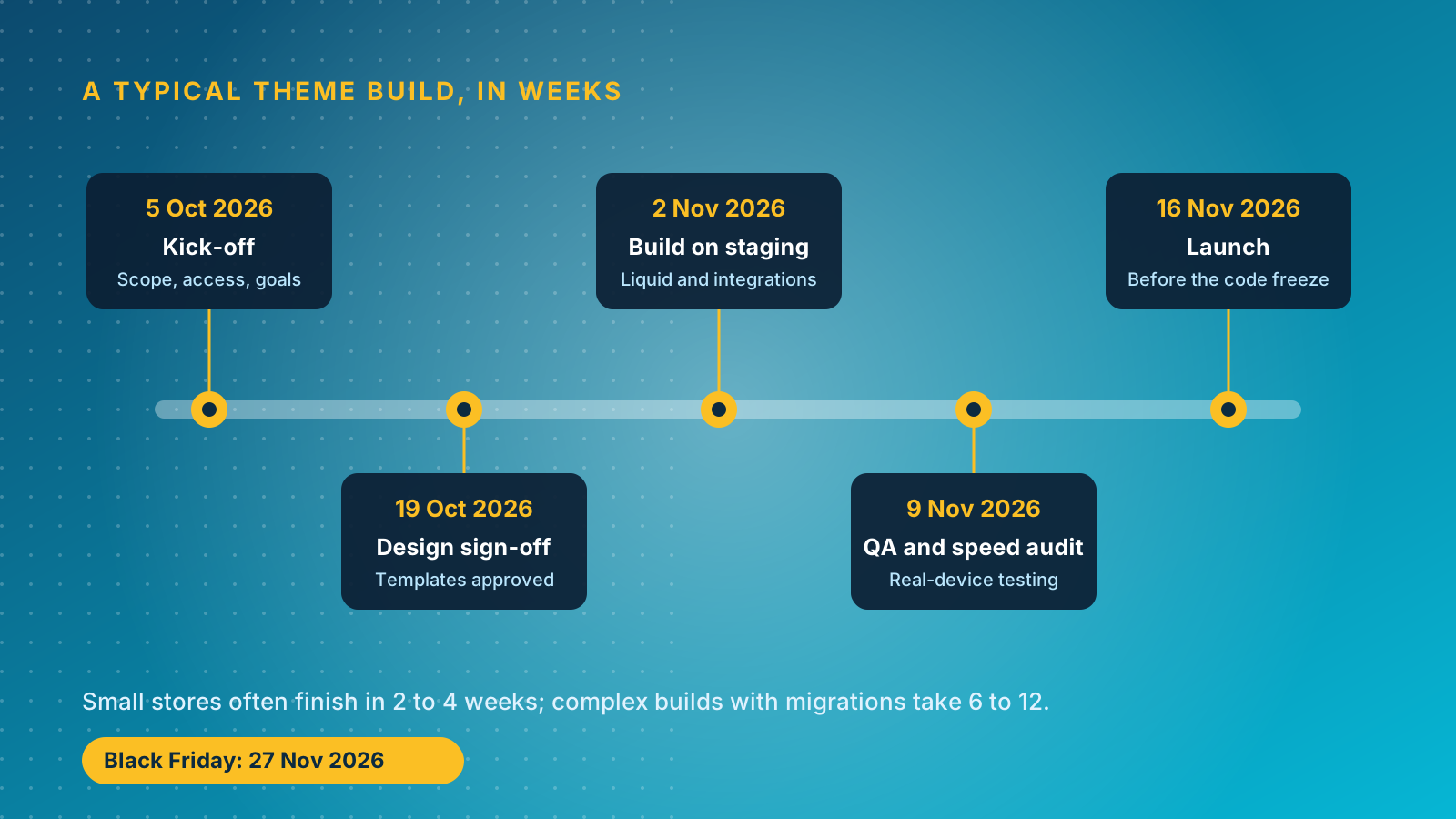
Off-the-shelf themes are built for the average store, so they carry features you will never use and miss the ones you need. Professional theme development gives you a storefront built around your catalogue, your buying journey and your brand, rather than your brand squeezed into someone else's layout. The difference between theme customisation (adjusting what a theme already allows) and a bespoke build matters for budget: customisation takes days, a custom build takes weeks. A developer can tell you which one your goals really need. Good developers also design for scalability, so the store copes with a Black Friday traffic spike and a catalogue ten times larger without a rebuild.
2. Speed and performance
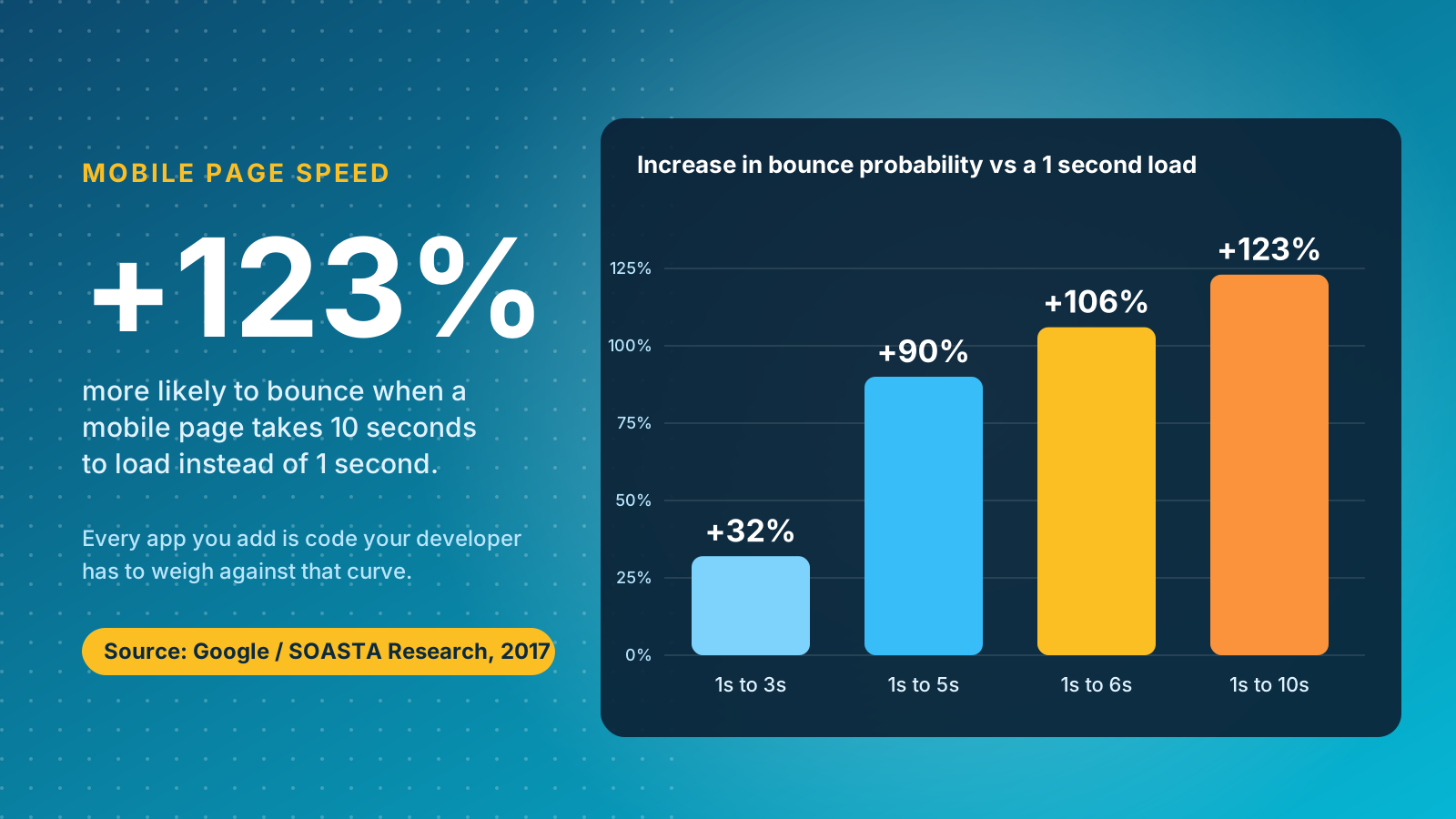
Every app you install adds code to your storefront. A developer audits what loads, removes what you no longer use and tunes the theme so pages render quickly. The stakes are well documented: Google and SOASTA research found the probability of a mobile visitor bouncing rises 32% as load time goes from one second to three, and 123% as it goes from one second to ten. Use Google's Core Web Vitals guidance as the yardstick, and ask any developer how they measure performance before and after their work. Tools such as Lighthouse and PageSpeed Insights show where a store loses time, and experienced developers use them to rank fixes by impact rather than guesswork.
3. Integrations that remove manual work
Order data, stock levels and customer records should flow between Shopify and the rest of your business without anyone copying spreadsheets. Developers build and maintain integrations with ERP and accounting systems, shipping providers, email and SMS platforms, reviews tools and analytics. Done properly, they cut errors and free your team for work that grows revenue. The best integrations are quiet: they sync in the background, log their failures and give your team the functionality they need without another tool to learn. See our Shopify integration services, and our guides to setting up shipping and payment gateways.
4. Conversion rate and checkout improvements
Developers implement the changes a conversion programme recommends: smarter filtering, bundles, upsells, sticky add-to-cart and a checkout that reflects your market. Checkout is where custom logic matters most, and Shopify Plus checkout extensibility opens up what you can change. If you are testing, a developer builds variants cleanly so the results can be trusted. See our Shopify CRO agency service and our guide to editing the Shopify checkout.
5. SEO foundations built in
Technical SEO is largely a development job: clean URL structures, structured data, crawlable navigation, image handling and redirect mapping. A developer who understands search will add Product schema, handle canonical tags on variants and protect your rankings during a migration. Developers who understand SEO also support your wider SEO strategy by keeping templates, headings and internal links consistent as the store grows. If organic traffic is a priority, pair development with our SEO agency team.
6. Security, reliability and compliance
Shopify hosts the platform and handles PCI compliance for checkout, but your theme, apps and customisations remain your responsibility. A reliable developer reviews app permissions, removes abandoned code, keeps tracking in line with consent rules and pushes every change through a staging theme before it goes live.
7. Ongoing support and the ability to move quickly
Launch is the start. Trading calendars, new Shopify features and campaign deadlines all generate development work, and a store without a developer on call waits in a queue. A monthly support and maintenance arrangement or a Charle membership gives you a team that already knows your code, which is faster than briefing a stranger every time. Quick troubleshooting when something breaks mid-campaign is where that familiarity pays back most.
When You Can Skip Hiring a Shopify Developer
Not every store needs one. You can reasonably go without a developer if you are launching on a supported theme, your needs are covered by apps, and your changes are content-led: new products, banners, copy and collections. A good theme and the Shopify app store go a long way for early-stage brands. Often an app is the right solution, and a good developer will tell you so rather than sell you custom code.
Revisit the decision when apps start to overlap, when the same workaround gets repeated every week, or when a change would touch checkout, pricing logic or data flows. At that point the cost of doing nothing, in speed, conversion and team time, usually exceeds the cost of a developer. Our guide to the best Shopify apps will help you judge when an app is enough.
Freelancer, Agency or In-House Developer?
The engagement model changes cost, risk and speed more than the individual developer does. Each fits a different kind of work:
- Freelance developer: best for contained, well-specified jobs such as a theme tweak or a single integration. Upwork's own hiring guide puts average Shopify freelance rates at $15 to $29 an hour, though rates vary by region and experience, and one person is a single point of failure if they are ill, busy or move on.
- Agency: best when the work needs a team of designers, developers, project managers and QA working to one plan. You pay more per hour, and the process, communication and accountability come with it. See our list of the top Shopify agencies and our guide to choosing a Shopify agency.
- In-house developer: best when you have a constant roadmap. South's 2026 hiring guide cites average US salaries of about $111,555 a year for a Shopify developer, before tools, management time and cover for holidays. UK in-house hires add recruitment fees, employer's National Insurance and pension contributions on top. One hire rarely covers design, back end, performance and QA at once.
- Retained team: a fixed monthly block of developer time from an agency, which gives you the continuity of an in-house hire without the recruitment.
Many brands end up with a hybrid: a small in-house marketing and merchandising team that owns the roadmap, and an external development team that owns the code.
How Much Does It Cost to Hire a Shopify Developer?
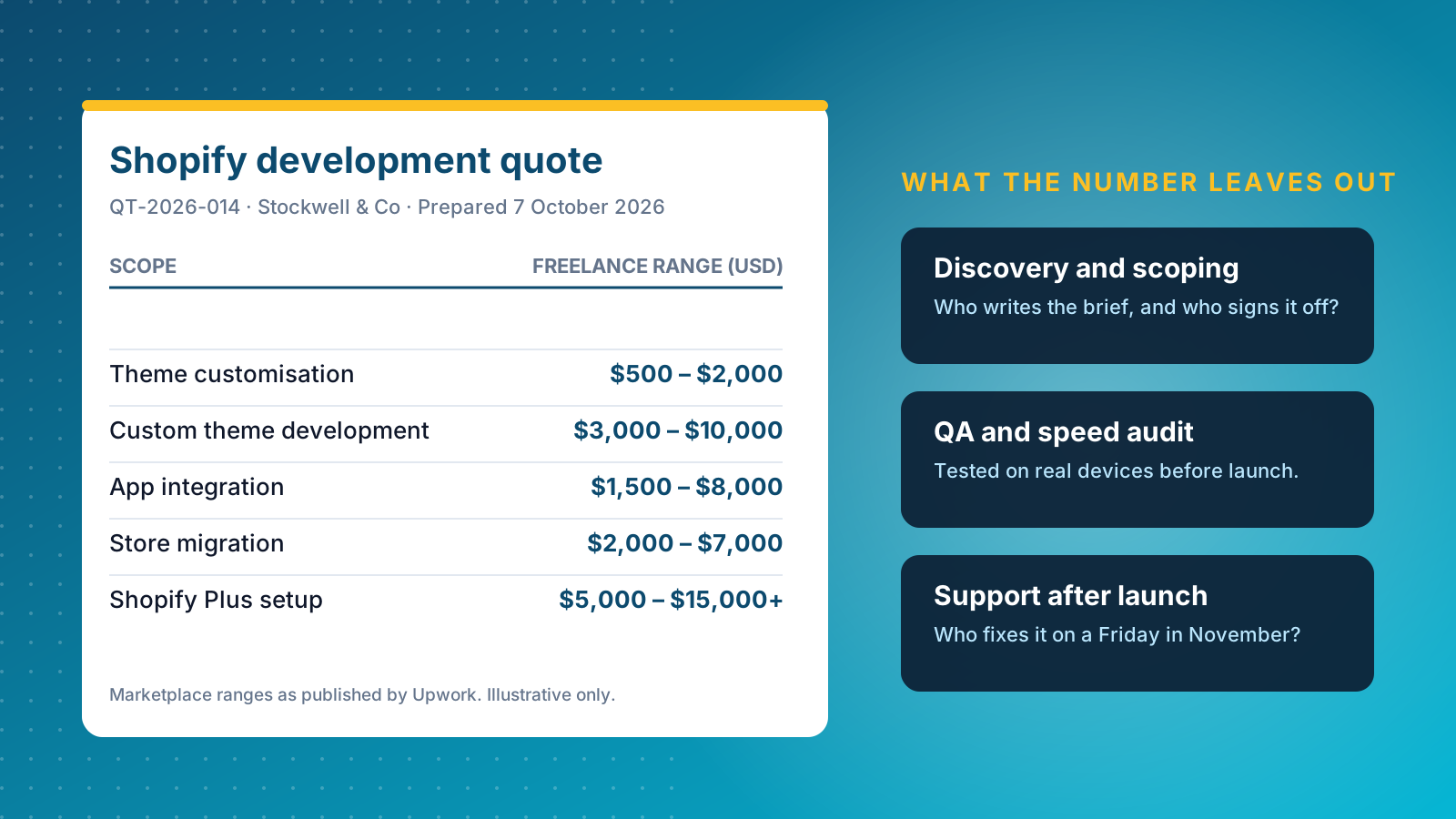
Pricing depends on scope, engagement model and region more than on a developer's title. Published marketplace guides give a useful starting point, and the budget should always be set against the revenue the work protects or creates. Upwork's hiring guide lists these typical project ranges, in US dollars:
- Theme customisation: $500 to $2,000
- Custom theme development: $3,000 to $10,000
- App integration: $1,500 to $8,000
- Store migration: $2,000 to $7,000
- Shopify Plus setup: $5,000 to $15,000 and above
Those are freelance marketplace figures, so treat them as the floor rather than the norm for an agency engagement, where discovery, design, QA and project management are included in the price. Bizmia's 2025 guide puts full Shopify Plus builds at $10,000 to $40,000 or more, which is closer to what mid-market brands should expect. Ask every supplier what is included before you compare numbers.
Three things move a quote more than anything else: how many integrations you need, how much data has to move in a migration, and how much bespoke design sits on top of an existing theme. For projects with a large data component, see our Shopify migration service, and for brands moving up a tier, our Shopify Plus agency page.
Skills and Experience to Look For in a Shopify Developer
Talent varies enormously across the Shopify ecosystem, so judge candidates on evidence of the skills your project actually needs:
- Liquid and theme architecture: comfortable with Online Store 2.0 sections, blocks and metafields, and able to explain why they structured a theme the way they did.
- JavaScript, HTML and CSS: clean coding habits, no heavy libraries where plain code will do, and accessible components.
- Shopify APIs: confident with the GraphQL Admin and Storefront APIs, webhooks and app extensions.
- Performance optimisation and troubleshooting: can find the script slowing a page, fix it and prove the result with data.
- UX and conversion awareness: understands how a design decision changes conversions, not just how it looks.
- Enterprise experience: for Shopify Plus, familiarity with checkout extensibility, B2B and multi-store set-ups.
- Communication: explains trade-offs in plain English and flags risks early.
Strong candidates and engineers will also ask you questions about your customers, your catalogue, your stack and your commercial goals. A professional who starts writing code without asking them is building to the brief, not to the business.
How to Hire a Shopify Developer: A Seven-Step Process
A structured process protects you from the two most common hiring failures: choosing on price alone, and choosing on a polished portfolio that hides a weak build.
- Define the project requirements. Write down your goals, your Shopify plan (Basic, Advanced or Plus), the systems to integrate, your deadline and your budget.
- Choose the engagement model. Decide between a freelancer, an agency and an in-house hire using the trade-offs above.
- Review live portfolio work. Open real stores on a phone rather than looking at screenshots, and check how fast and stable they feel.
- Check credentials and references. Look for Shopify Partner or Plus Partner status, reviews and clients you can speak to.
- Interview on specifics. Ask about Liquid, theme architecture, apps versus custom code and how they debug performance problems.
- Test communication. Find out who your point of contact is, how updates arrive and how changes to scope are handled.
- Agree scope, milestones and ownership. Settle fixed price or time and materials, acceptance criteria, access to the code repository, handover documentation and a warranty period.
Questions worth asking every candidate or agency in the interview:
- Which parts of this brief would you build in code, and which with an app, and why?
- How do you measure theme performance before and after your changes?
- How do you handle version control and staging themes?
- What happens if a bug appears after launch, and who fixes it?
- Can you show a store you built that is still live and still fast?
If you want a hand shaping the brief, our Shopify consultants can help you define the scope before you ask for quotes.
Red Flags When Hiring a Shopify Developer
These warning signs come up repeatedly in poor hires:
- No live examples, or examples that are slow on mobile.
- A quote with no breakdown, or a price far below every other bid. It usually means corners will be cut or the scope will grow later.
- Promises of guaranteed rankings or revenue.
- Reluctance to use a staging theme, version control or a handover process.
- Vague answers about who actually writes the code, which can signal undisclosed subcontracting.
- No plan for support, so every fix after launch becomes a new negotiation.
- An app suggested for every problem, or custom code suggested for every problem.
Any one of these is a reason to ask more questions. Two or three together is a reason to walk away.
Our View: Hire for the Next 18 Months of Roadmap, Not Launch Day
The most common mistake among the Shopify brands we talk to is hiring for the build and forgetting the year after it. A fixed-price project feels safe because the number is known, but the real cost of a store sits in the 12 to 18 months after launch: new campaigns, new integrations, speed regressions from new apps, Shopify releases and the steady stream of small changes your commercial team wants.
Our position is that a named developer on a monthly retainer beats a series of one-off projects for most growing stores. They learn your theme code, your integrations and your trading calendar, so a change that would take a stranger two days of reading takes them two hours of work. Build projects still make sense for a replatform or a redesign, which is why we scope those as defined projects and then offer a membership afterwards, so the team that built the store keeps looking after it. A developer who understands your brand and your ecommerce strategy makes better calls than one working from a ticket queue.
If you are weighing a big build against a retained model, we would rather talk you into the cheaper option than the larger one. Our Shopify developers can scope the work with you, or you can get in touch for an honest view on whether you need a developer yet.