 Nic Dunn, CEO, Charle Agency
Does Shopify Include Web Hosting?
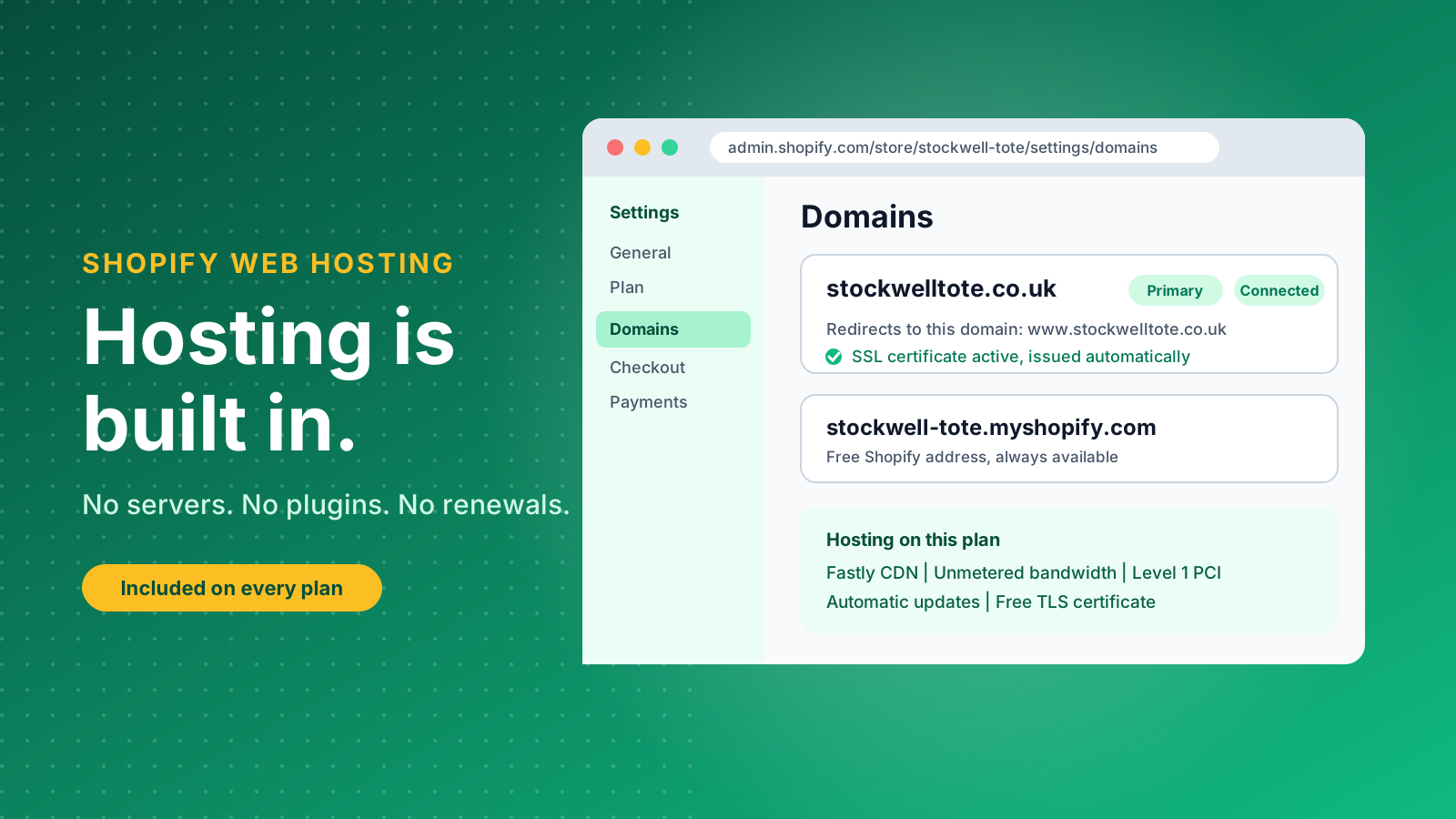
Yes. Shopify is a fully hosted ecommerce platform, which means every store runs on Shopify's own infrastructure and hosting is part of the monthly plan. You do not buy a server, install software or pay a hosting company separately.
That is the key difference from self-hosted platforms such as WooCommerce or Magento. With those, you rent hosting, install the platform, apply security patches and plan for traffic yourself. With Shopify, all of that sits with Shopify, and you spend your time on products, design and marketing. Our guide to hosted vs self-hosted ecommerce compares the two models in more depth.
Every new store also gets a free .myshopify.com address, which works from the first minute. You can use it while you build, then connect a custom domain such as stockwelltote.co.uk when you are ready to launch.
How Shopify Web Hosting Works
Shopify web hosting works as a managed service: Shopify runs the servers, the database, the security layer and the content delivery network, and you rent access to that whole stack through your plan.
In practical terms, three things happen behind the scenes every time a shopper visits your store.
- Servers and updates: Shopify maintains the infrastructure and rolls out platform updates automatically. You never schedule a maintenance window or install a patch.
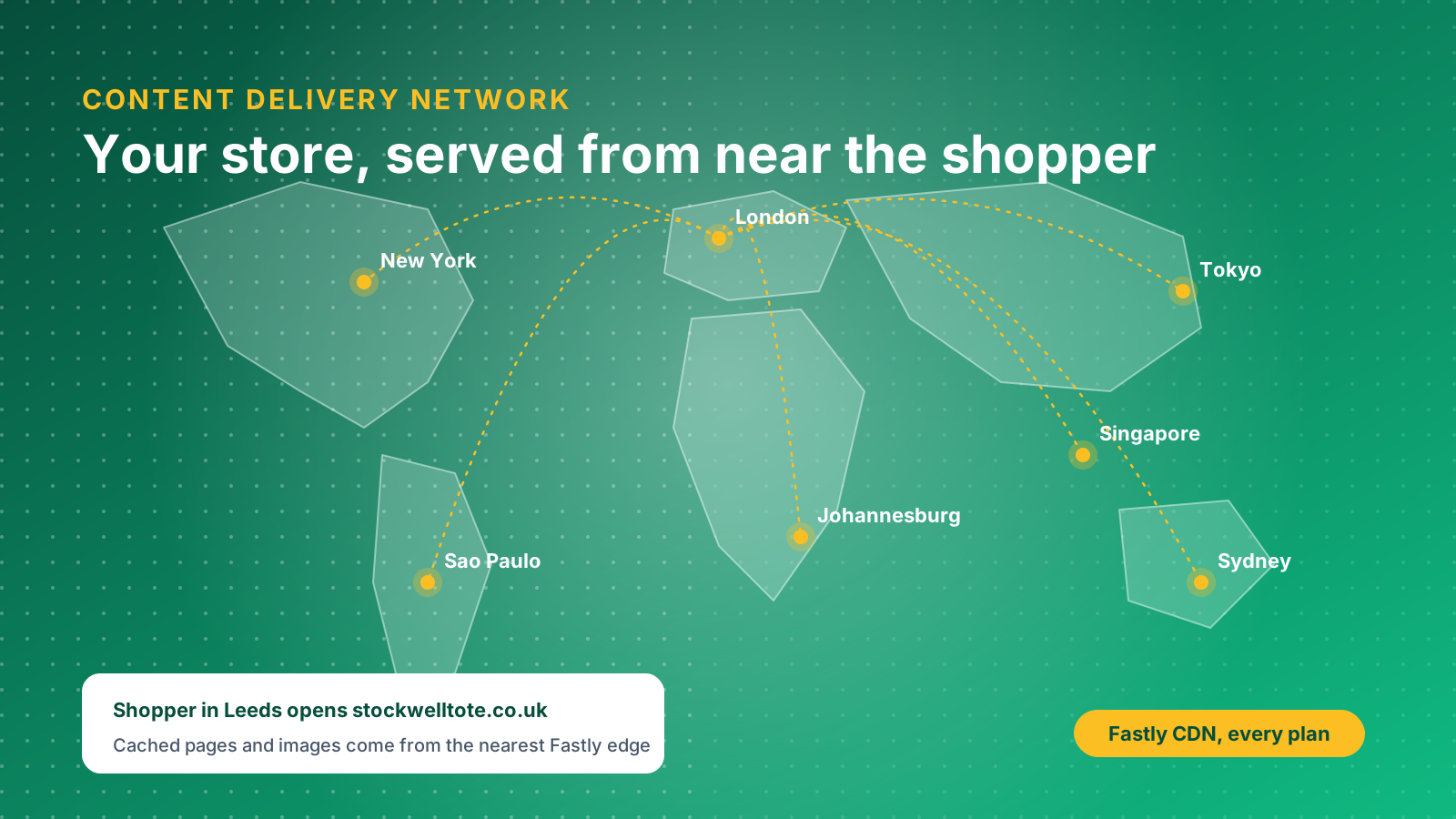
- Content delivery network: Shopify uses a CDN operated by Fastly, which stores copies of your pages and images on servers around the world and serves them from the location nearest the shopper.
- Unmetered bandwidth: Shopify describes its hosting as unmetered, so a busy week does not trigger overage charges the way it can on a traditional shared hosting plan.
- Data centres and reliability: Your store data is stored, backed up and monitored on infrastructure that Shopify manages, so reliability and uptime are Shopify's responsibility rather than yours.
Your own work happens in the Shopify admin, where you manage products, content, features and tools, and in your theme. You can edit theme code, install apps and add custom functionality, but you do not get access to the underlying server, which is the trade-off for never having to manage one.
What Shopify Hosting Costs
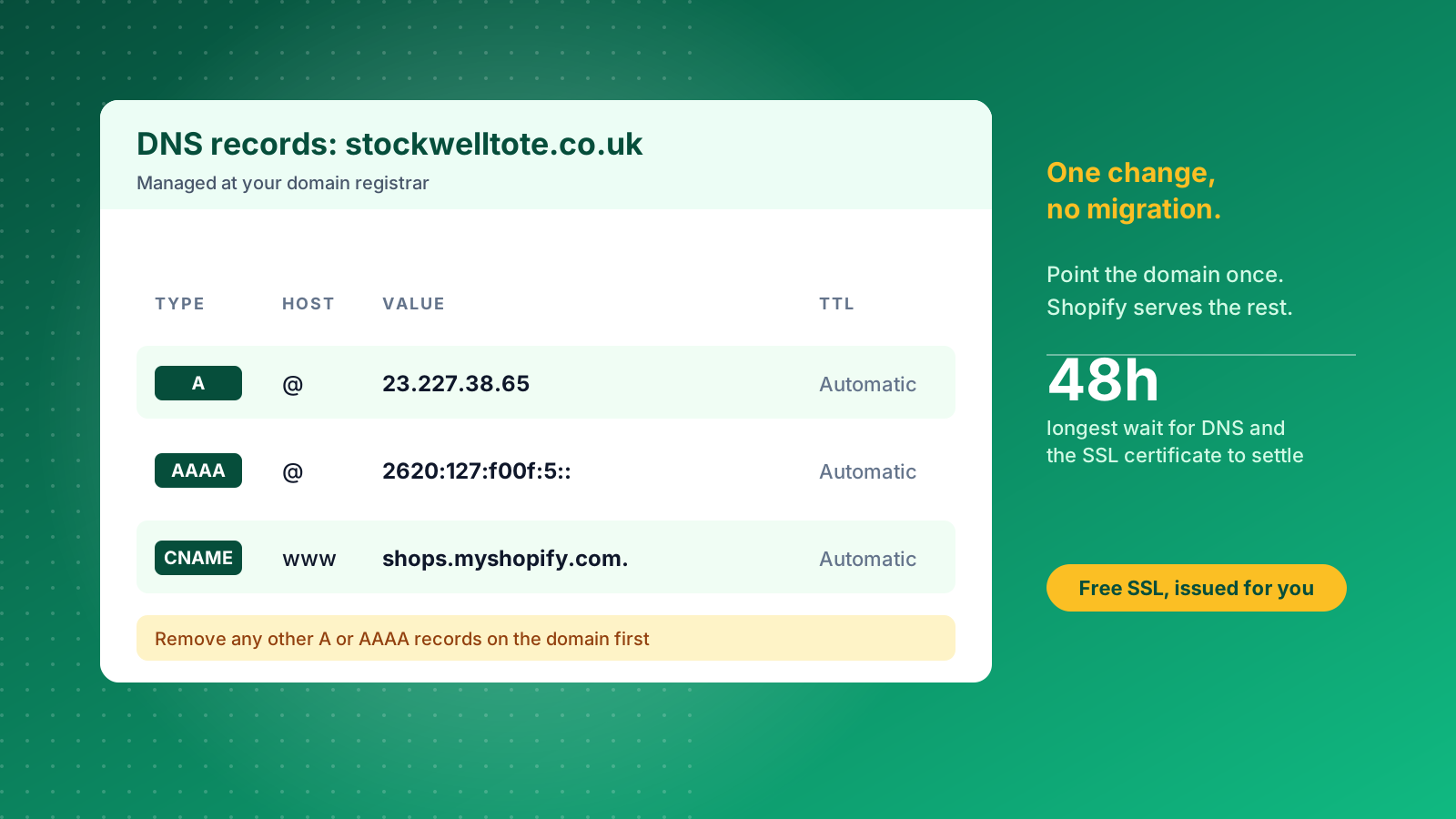
Shopify hosting has no separate price: it is bundled into your plan, so the plan fee is your hosting fee. In the UK, as of May 2026, the monthly prices are £5 for Starter, £25 for Basic, £65 for Grow and £344 for Advanced when billed monthly, falling to £19, £49 and £259 for Basic, Grow and Advanced when billed annually. Shopify Plus is custom-priced and starts from around £1,800 a month on a three-year term. Our Shopify pricing guide breaks down each plan and its transaction fees.
Comparing that with traditional hosting needs care. Entry-level shared hosting is advertised for a few pounds a month, but those prices are usually introductory and rise sharply at renewal. One 2026 hosting cost guide puts typical monthly costs for online stores at $5 to $50 in US dollars, with VPS plans from $20 to $90 and dedicated servers from $70 to $1,000. Shopify's plan fee replaces that line, plus several others.
The hosting you do not pay for separately on Shopify includes:
- The server or cloud capacity that runs your store
- The SSL certificate that secures your domain
- The CDN that speeds up delivery worldwide
- Platform security patches and software updates
- Bandwidth, however much traffic you receive
The costs that remain are the ones hosting never covered anyway: your domain name, a proper email mailbox service, paid apps and your theme. Domain prices vary by extension, so check the price at checkout. If you buy a domain through Shopify, you also get unlimited forwarding email addresses, such as hello@yourstore.com, which forward to an existing inbox. New merchants can start on a free trial before choosing a plan, and Shopify often runs introductory discounts on the first months, so check the current offer before you commit.
Connecting Your Domain to Shopify
You can buy a domain through Shopify or connect one you already own, and connecting a third-party domain takes three DNS records and a short wait. Which route is better depends on whether you want everything in one admin or already manage domains with a registrar.
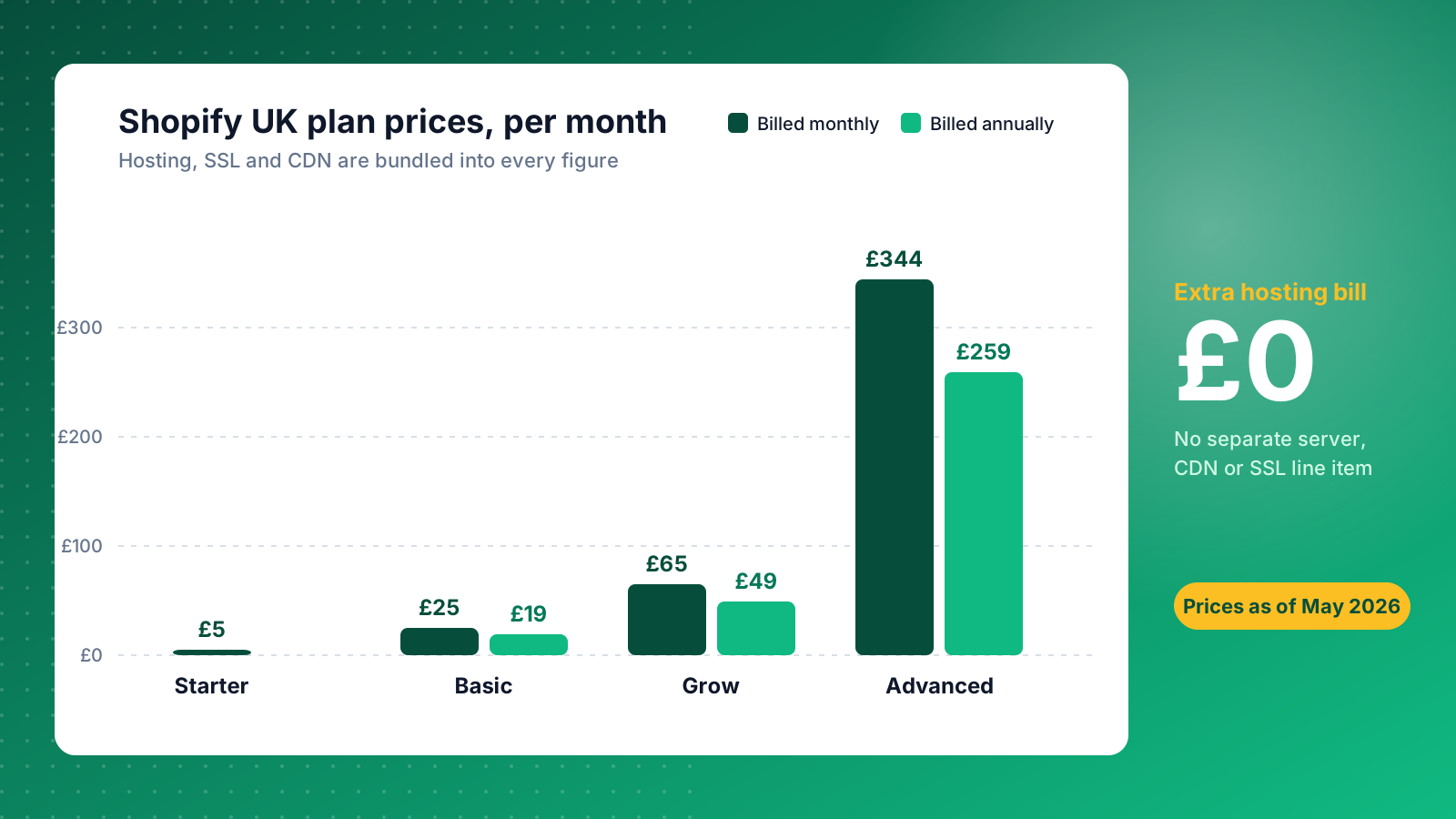
For a domain bought elsewhere, Shopify's manual connection process asks you to change the following records at your registrar:
- A record: point the root domain (host
@) to Shopify's IPv4 address, 23.227.38.65 - AAAA record: point the root domain to Shopify's IPv6 address, 2620:0127:f00f:5::
- CNAME record: point the
wwwhost to shops.myshopify.com
Delete any other A or AAAA records on the domain first, because you can only have one A record and one www CNAME. Changes can take up to 48 hours to take effect, although most land far sooner. Once the domain shows as connected in your Domains settings, set it as the primary domain so visitors to the other versions are redirected.
If you are moving an existing site, plan the redirects before you change DNS. A domain switch without a redirect map is the most common way brands lose organic traffic during a replatform, and our Shopify SEO migrations guide and guide to migrating to Shopify cover how to avoid it.
Security, SSL and PCI Compliance
Shopify handles SSL certificates and payment security for you, which removes two of the most common hosting headaches. Shopify provides TLS certificates for free for every domain added to a store, including the .myshopify.com address, domains bought through Shopify and third-party domains connected through DNS.
The certificate is issued automatically. For a connected third-party domain it can take up to 48 hours, and the admin may show an SSL pending message while it does. You cannot install your own third-party SSL certificate on a Shopify store, so there is nothing to buy, renew or misconfigure.
Shopify is also certified to Level 1 of the Payment Card Industry Data Security Standard (PCI DSS), the highest level, which covers how card data and customer data are handled during payment processing at checkout. Because checkout runs on Shopify's infrastructure, you inherit that compliance without building it. Merchants on self-hosted platforms carry that responsibility themselves, usually with the help of a payment gateway and a security audit.
Speed, Uptime and Traffic Spikes
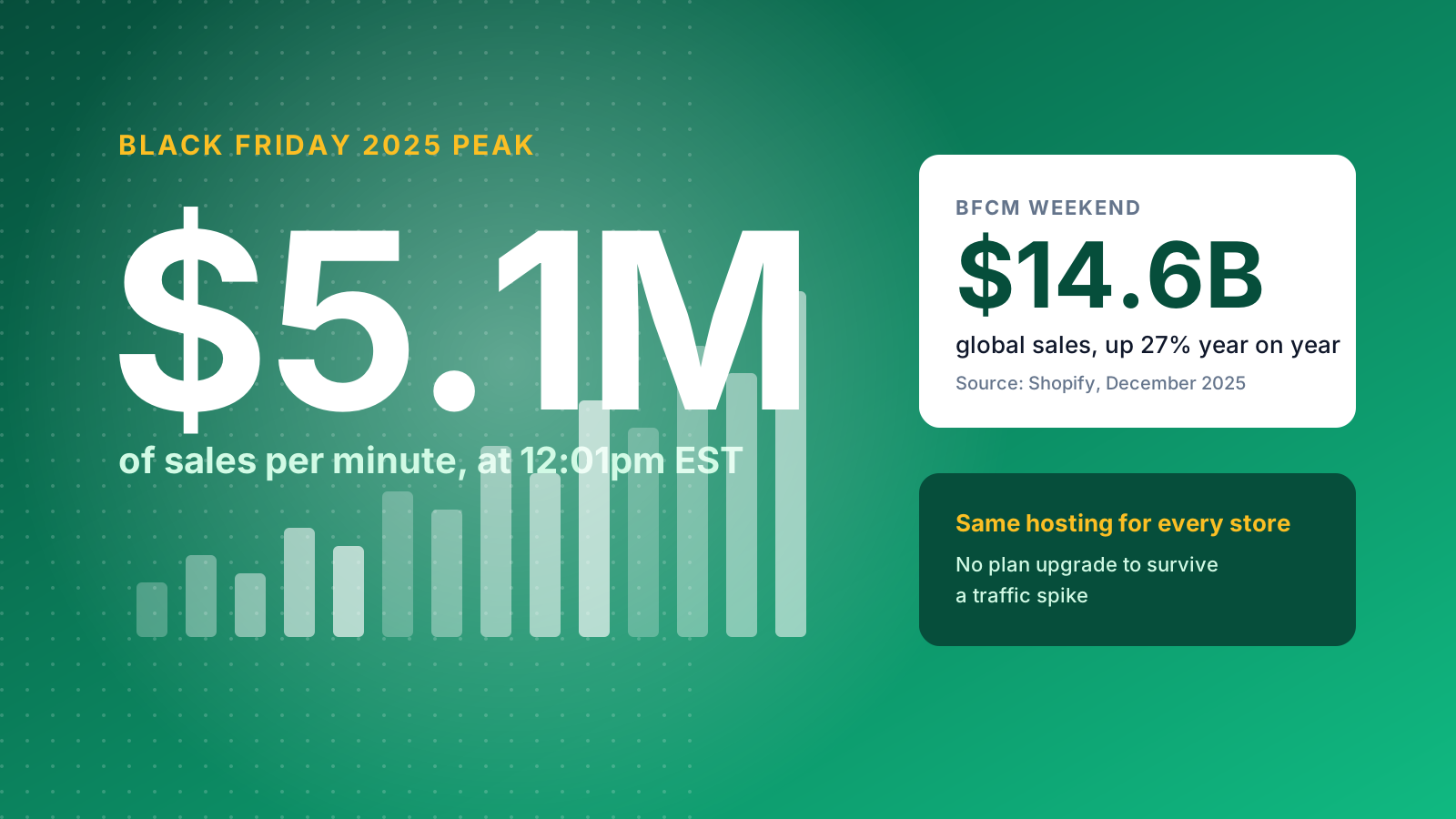
Shopify hosting is built to absorb traffic spikes without any action from you, which is its strongest practical advantage over a shared hosting plan. During Black Friday Cyber Monday 2025, Shopify merchants worldwide generated $14.6 billion in sales, up 27% on 2024, with sales peaking at $5.1 million per minute at 12:01pm EST on Black Friday.
That scale matters for a single store because every merchant runs on the same platform. A small brand with one big campaign gets the same infrastructure as the largest brands on the platform, with no plan upgrade needed to survive the traffic.
Be careful with one thing: hosting is only part of site speed. Shopify delivers your store quickly, but a theme loaded with unoptimised images and a dozen apps can still feel slow. The hosting layer is fast by default; the theme and apps layer is where most speed is lost. Our guide on how to speed up your Shopify site covers that side.
What Shopify Hosting Does Not Cover
Shopify hosting covers your store, not everything a business runs online. Four gaps catch merchants out most often.
- Email mailboxes: Shopify gives you forwarding addresses, not a hosted inbox. For sending and receiving from your own domain, add a service such as Google Workspace or Microsoft 365.
- Other websites: A Shopify plan hosts one store. A separate marketing site, WordPress blog or microsite needs its own hosting, unless you build it inside Shopify.
- Server access: You cannot run custom server-side code, scheduled scripts or your own database on Shopify's servers. Custom logic is handled through apps, Shopify Functions or an external service.
- Complete control: You operate inside Shopify's rules and uptime. For almost all brands that is an advantage, but it is a dependency you should accept knowingly.
None of these is a reason to avoid Shopify, but each is worth deciding on before you launch rather than after.
Shopify vs Traditional Web Hosting Types
Traditional web hosting comes in several types, and choosing Shopify means you no longer have to pick between them. A self-hosted store usually chooses from four options.
- Shared hosting: many sites share one server. It is cheap, but a traffic spike can slow every site on the machine.
- VPS hosting: a virtual private server gives you a dedicated slice of a machine and more control, but someone has to configure and maintain it.
- Cloud hosting: resources are spread across connected servers, which scales better and is the closest to how Shopify runs.
- Dedicated hosting: a whole physical server for one site, with strong performance and a much higher cost.
With any of these you choose a hosting provider, install the platform, apply patches, manage backups and plan for peak trading. Customer support from a hosting provider covers the server, not your store, so a checkout fault still lands on your developer. Shopify bundles the hosting, the platform and 24/7 customer support, so the scalability and reliability of the store are not your job.
Self-hosted platforms make sense when you need server-level control. For brands that want to sell rather than run servers, a hosted website builder and ecommerce platform wins on total cost and risk. Our comparisons of Shopify vs WordPress and Shopify vs Magento go further.
Headless Shopify and Oxygen Hosting
Headless Shopify changes the hosting question, because the storefront no longer runs on Shopify's theme layer. Shopify stays as the commerce backend, handling products, checkout and orders, while a custom front end talks to it through the Storefront API.
That front end needs its own hosting. Shopify offers Oxygen, its hosting environment for Hydrogen storefronts, and teams also deploy to platforms such as Vercel, Netlify or Cloudflare. You gain design freedom and performance control, and you take on more responsibility for deployments and front-end security.
Headless suits brands with an engineering team to support it. Our article on why choose headless ecommerce on Shopify explains when the extra effort pays off, and our Shopify Plus agency team can help you decide.
Choosing the Right Hosting Approach
For most UK brands, standard Shopify hosting is the right answer: reliable infrastructure, built-in security and predictable monthly pricing, without anyone looking after servers. Consider an alternative only if your business needs server-level control or a complex custom build. If you want advice on the best setup for your store, get in touch with the Charle team.