 Nic Dunn, CEO, Charle Agency

1. Overview: Shopify vs WooCommerce / WordPress
Choosing the right ecommerce platform is one of the most important decisions you'll make for your business. Getting it wrong can mean costly migrations, poor performance, and wasted development budget down the line. We've delivered stores on both Shopify and WordPress, and that experience is exactly why we became a Shopify agency.
Shopify and Shopify Plus
Shopify, founded in Canada in 2006, is a complete ecommerce platform that covers almost every element of running an online store. It's a hosted, software-as-a-service (SaaS) solution, meaning hosting, security, and infrastructure are all included. Shopify merchants get access to thousands of vetted apps through the Shopify App Store, and new features and integrations are released continuously. From startup to enterprise, Shopify scales with your business through its tiered plans including Shopify Plus for high-growth brands.
WordPress and WooCommerce
WordPress is an open-source content management system originally built for blogging. WooCommerce is a plugin that adds ecommerce functionality to any WordPress website. Because WordPress is open-source, anyone can access and modify the core code. The platform itself is free to install, but you'll need to source your own hosting (from providers like Bluehost or SiteGround), manage your own security, and install the WooCommerce plugin separately. WordPress and WooCommerce together provide product management, order processing, payment handling, and inventory tracking to run an online store.
Both platforms can deliver excellent results with the right designers and developers. What separates them is the day-to-day experience of managing your store and how well each platform supports your long-term growth. We'll compare both across 16 key decision-making factors including dashboards, sales tools, marketing, hosting, and scalability. Get in touch if you need additional consultation on which platform is right for you.

2. Ease of Use, Interface & Dashboard
Your dashboard is where you'll spend most of your time managing products, orders, customers, and content. How intuitive that experience feels matters enormously for day-to-day productivity.
Shopify's Dashboard
From our experience and consistent feedback from clients, Shopify's ease of use is noticeably superior. The dashboard is purpose-built for ecommerce, so there's no bloat from unrelated website tools. When you log in, you're immediately presented with a snapshot of real-time store performance. Orders, customers, and products are accessible from a clean left-hand menu, and the interface is designed so that even someone with no technical background can manage their store confidently.
Setup on Shopify is straightforward. The system guides you through every step, from adding your first product to configuring payments. Because it's a hosted platform, there's no need to worry about servers, databases, or installations. For enterprise businesses, the dashboard even supports managing multiple stores from a single login. Shopify is built for productivity, which means the technology never gets in the way of running your business. Learn more about Shopify Plus here.
WordPress's Dashboard
WooCommerce sits within the broader WordPress admin, which means you need to become familiar with both platforms to manage your store effectively. The WordPress admin wasn't designed specifically for ecommerce, so key features can be harder to find. Once you're inside the WooCommerce plugin area, you can access products, orders, and analytics through a sub-menu, but the overall experience isn't as streamlined. To achieve advanced discounts, complex shipping rules, or third-party integrations, you'll typically need additional plugins or custom development.

3. Design, Themes & Customisation
Both platforms can produce visually impressive stores since both are built on HTML and CSS. The difference lies in the process of getting there.
WordPress
Setting up a store on WordPress requires some technical knowledge. You'll need to install WordPress on your server, then install the WooCommerce plugin. Once that's done, you can choose from thousands of pre-built themes across the WordPress theme directory and marketplaces like ThemeForest, or work with a designer and developer to build a bespoke theme from scratch. WordPress offers almost limitless flexibility over design, so from a creative standpoint it won't hold you back. How polished your store looks depends on the time and expertise you invest.
Shopify
Getting started on Shopify couldn't be easier. The platform is fully hosted, so there's no server setup, no security configuration, and no software installation. Sign up online and you can start building immediately, with a free trial to explore the platform before committing. Shopify offers over 200 professionally designed themes tailored to specific sectors, brand styles, and product types. Every theme is vetted directly by Shopify, so quality is consistently high. All themes include customisable elements through the theme editor, and teams like ours can build fully bespoke themes for brands that want a unique design. The only area with restrictions is the checkout: standard Shopify plans use Shopify's default checkout layout, though Shopify Plus merchants can customise the checkout experience and have unlimited staff accounts.
To summarise, Shopify is easier to get started on without worrying about servers or security, but both platforms offer similar levels of design flexibility for the final product. The key difference is how much technical effort is required to get there.
4. Content Management
How easily you can update and manage your store content matters. You're going to want to change images, update copy, add new products, and tweak pages regularly.
WordPress
WooCommerce doesn't come with its own content management interface. It uses WordPress's native editor, which handles basic page and post editing well but wasn't designed specifically for ecommerce layouts. If you want to manage multiple content areas on a single page, you'll need additional tools. WPBakery and Elementor are popular page builders often bundled with pre-built themes, and Advanced Custom Fields (ACF) lets you create editable fields for specific parts of a page. Standard WordPress and WooCommerce offer product title and description fields, but for modern ecommerce stores with rich content, you'll almost certainly need third-party tools.
Shopify
Shopify includes a visual page editor known as Online Store 2.0, which lets you edit your storefront while previewing changes in real time. The editor splits each page into sections that you can rearrange, customise, and extend. You can create entirely new page templates without touching code. Product and page content is managed separately under clear menu items, with rich-text editing and the ability to add structured content through metafields and metaobjects. We find Shopify's visual editor significantly more intuitive than WordPress's approach to custom fields.
Both platforms let you edit content without code knowledge once the store is built, but Shopify's editor is more visual, more ecommerce-focused, and easier to use for non-technical team members.
5. Ecommerce Features
Both platforms provide the essentials: product management, inventory tracking, customer databases, and discount codes. But there are important differences in how much is available out of the box.
Cart Abandonment Recovery
Cart abandonment is a reality for every online store, and recovering even a small percentage of abandoned carts can make a real difference to revenue. Shopify includes abandonment cart recovery emails as a built-in feature across all plans. If a customer enters their email at checkout but doesn't complete the purchase, they'll automatically receive a reminder. On WordPress, you'll need a third-party plugin or an email marketing tool like Klaviyo to achieve the same result.
Multi-Channel Selling
Both platforms support selling across Facebook, Instagram, Amazon, and eBay. Shopify's multi-channel integrations are included at no additional cost and can be activated with a few clicks. WordPress requires additional plugins for multi-channel selling, and some come with their own fees.
Inventory Management
Shopify's inventory system tracks stock as it's purchased, returned, and stored across different locations or warehouses. The built-in bulk editor and CSV import make updating stock straightforward, and product variants are handled natively. WordPress's inventory management is more basic. You get core stock tracking and product variations, but for features like multi-location tracking or automation, you'll need additional plugins.
Shipping & Notifications
Both platforms support advanced shipping zones, but Shopify integrates directly with major shipping providers. When you fulfil an order, you can paste a tracking code and automatically send your customer shipping updates, including out-for-delivery and delivered notifications. This creates a seamless post-purchase experience without any additional setup.
Hosting
One of the most significant differences between the platforms. Shopify is fully hosted on its own infrastructure, with near-100% uptime and the ability to handle massive traffic spikes. You don't need to manage servers, configure databases, or worry about performance during peak periods. WooCommerce doesn't include hosting at all. You'll need to source your own servers, install WordPress and WooCommerce yourself (or have a developer do it), and manage ongoing server performance. Finding hosting as reliable and scalable as Shopify's built-in infrastructure is difficult.
Checkout
Shopify's checkout is locked down on standard plans to ensure security and performance, but Shopify Plus merchants can customise the checkout experience with UI changes and logic customisations. WordPress allows full developer access to the checkout, which offers more flexibility but also requires more technical expertise and introduces more potential for issues. If having complete control over every element of the checkout is essential, WordPress gives you that freedom. For most brands, Shopify's approach provides the right balance of customisation and reliability.
To summarise, both platforms can achieve similar functionality, but Shopify includes significantly more out of the box, requiring fewer plugins and less technical overhead to get a full-featured store running.

6. Plugins, Apps & Integrations
Both platforms offer extensive ecosystems of plugins and integrations to extend your store's capabilities. As the two leading ecommerce platforms, virtually every major software company provides native integrations for both.
WordPress
WordPress offers over 50,000 plugins, but the platform relies very heavily on them for core functionality. Too many plugins on a single site can cause code conflicts, slow performance, and security vulnerabilities. Because WordPress is open-source, almost anyone can publish a plugin, which means quality varies enormously. Choosing the right plugins requires careful research, and keeping them updated without breaking your store takes ongoing attention. Plugin conflicts are one of the most common issues we've seen on WordPress stores.
Shopify
Shopify's App Store has around 13,000 published apps and operates as a closed ecosystem. Every app is reviewed directly by Shopify before it can be published, and developers must be approved technology partners. This vetting process means the overall quality bar is higher, though we still recommend keeping apps to a minimum to maintain performance. Shopify's support team can recommend reputable apps, and the ecosystem covers everything from subscriptions and loyalty programmes to ecommerce SEO tools and advanced analytics. Check out our curated list of best Shopify apps, and if you need something custom, we offer Shopify app development too.
7. Build Time & Setup
How long it takes to design, build, and launch your store is a practical consideration that's easy to overlook, especially when you're eager to start selling.
Shopify
Getting started on Shopify is fast. When you create a new account, the platform walks you through everything step by step. With over 200 pre-built themes available, you can have a functioning store set up in hours rather than days. Even if you opt for a completely bespoke design, the build process is typically faster because there's no server setup, no database configuration, and no plugin installation chain to manage. Shopify's admin is intuitive enough that most merchants can add products, set up pages, and configure settings without developer support.
WordPress
Building a store on WordPress takes more time and more technical knowledge. You need to set up hosting, install WordPress, configure databases, and then install and configure WooCommerce. Once the platform is ready, the learning curve is steeper. Adding themes, configuring payment gateways, and setting up shipping all require more manual steps. Content management is more complex, and customising the store often requires developer involvement from the outset. There are plenty of tutorials and resources available, but expect the overall timeline from zero to launch to be longer than Shopify.
Shopify is the clear winner for speed of setup, particularly for teams without deep technical expertise. The UI is more self-explanatory and there are fewer moving parts to manage.
8. Scalability & Performance
A platform might be perfect when you're starting out, but how does it hold up when you're processing thousands of orders a day and handling significant traffic?
Shopify
When it comes to scalability, Shopify is difficult to beat. The platform supports brands from their first sale through to enterprise-level operations handling millions in monthly revenue. You can add unlimited products, collections, pages, and content. Shopify's hosting infrastructure handles unlimited traffic, so if a viral social media post sends a sudden surge to your store, it won't crash. Shopify's tiered plans scale with your business, from Basic through to Shopify Plus and Advanced. Features like multi-location inventory tracking, Shopify Markets for internationalisation, and Shopify Plus for higher checkout bandwidth all support growth. Shopify is a strong choice not just for startups, but for fast-growing global brands.
WordPress
WordPress is not as scalable as Shopify out of the box. As your store grows, you'll need to consider whether your hosting can handle increased demand, whether your plugins will perform under load, and whether your server configuration is optimised. WordPress doesn't offer built-in internationalisation features, automation suites, or dedicated checkout bandwidth for high-traffic periods. As complexity increases, you'll likely become more dependent on developers and additional infrastructure to maintain performance. WordPress can scale, but it requires more hands-on management to do so.
9. Reporting & Analytics
Understanding your store's performance is essential for making informed decisions about growth, marketing spend, and operations.
Shopify
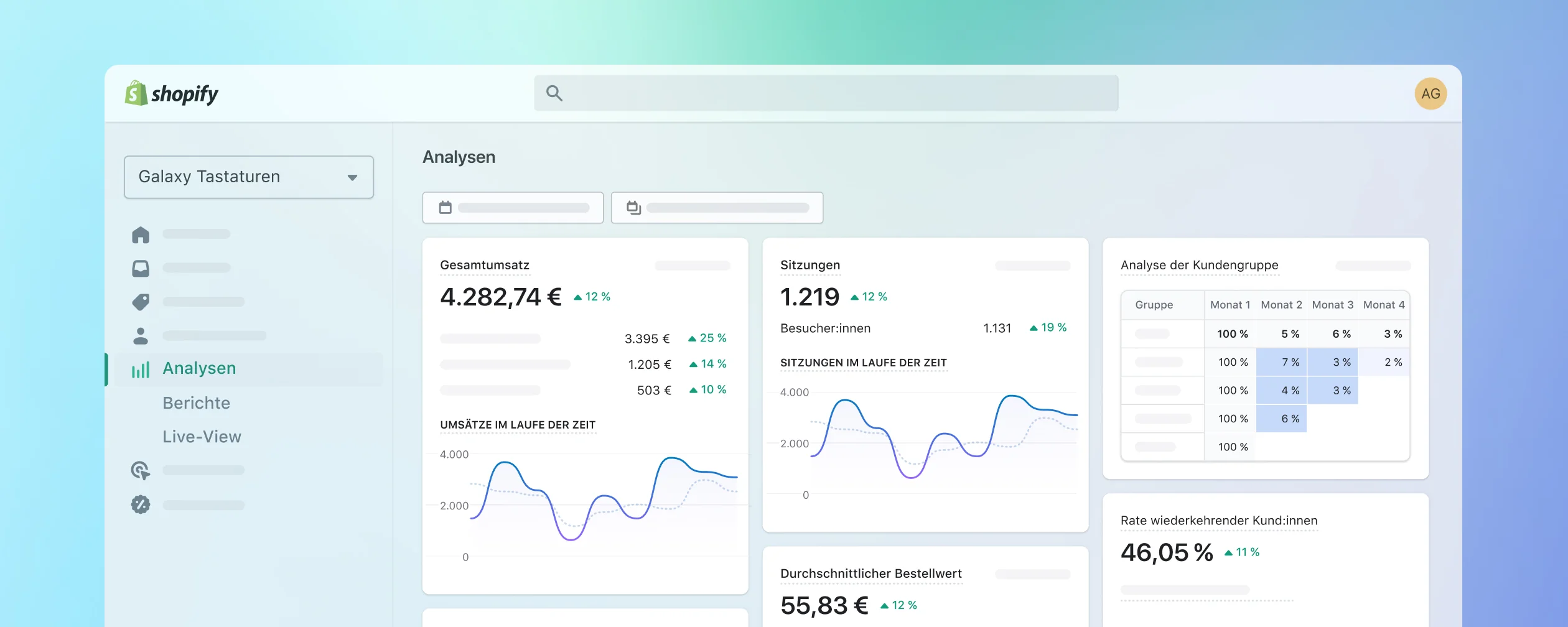
Shopify has a comprehensive built-in reporting and analytics suite. Merchants can view real-time data on conversion rates, sales, traffic sources, and customer acquisition. The platform also tracks metrics like returning customer rates and channel attribution. Higher-tier plans unlock advanced reporting features and the ability to create custom reports. Shopify integrates natively with Google Analytics, and third-party reporting apps like Triple Whale and Littledata are available through the App Store for deeper analysis.
WordPress
WooCommerce includes its own analytics dashboard with filtering for orders, revenue, products, and categories. The interface isn't as polished as Shopify's, but it covers the essentials. Integrating with Google Analytics requires installing a specific plugin and some technical setup. Other analytics platforms do integrate with WordPress, and some have dedicated plugins available. For most merchants, the reporting will need supplementing with third-party tools regardless of platform.
10. B2B & Wholesale
B2B and wholesale selling is evolving rapidly, with more brands using their online store to serve wholesale customers alongside direct-to-consumer sales.
Shopify
If you opt for Shopify Plus, you'll have access to Shopify B2B, a dedicated suite of wholesale features. Shopify B2B lets you create individual company profiles, assign customers with unique permissions, offer customer-specific pricing, set minimum and maximum order quantities, apply volume-based discounts, and provide net payment terms. You can also serve different content to B2B customers on the storefront. For brands not on Shopify Plus, wholesale apps like Wholesale Club and SparkLayer are available through the App Store.
WordPress
WordPress doesn't have a native B2B offering. However, there are several third-party B2B plugins that add features like custom user roles (B2B, Wholesale), manual registration approval, hidden pricing, and customer-specific pricing tiers. These plugins work well but require more configuration and management than Shopify's built-in solution.
Shopify's native B2B platform is significantly more user-friendly and feature-complete, though it does require the Shopify Plus plan.
11. Marketing Your Store
Marketing is what drives traffic and sales, so integration with marketing tools should be a factor in your platform choice.
Email Marketing
Shopify integrates well with Klaviyo, which has become the go-to email marketing platform for ecommerce brands. Klaviyo's Shopify integration syncs customer data, order history, and behaviour for advanced segmentation and personalisation. WordPress natively supports Mailchimp, though Klaviyo and other platforms are also available through plugins. Both platforms can deliver effective email marketing with the right tools.
Social Media
Shopify's social media integrations (Facebook, Instagram, TikTok, Pinterest) can be activated directly from the admin with minimal setup. On WordPress, these integrations require installing separate plugins. Shopify makes the setup faster and simpler, with fewer technical steps between deciding to sell on a channel and being live.
Google Analytics & Search Console
Both platforms support Google Analytics and Search Console integration. Shopify lets you add your tracking ID directly in the admin settings. WordPress requires pasting tracking code into your theme files or installing a dedicated plugin. Both approaches work, but Shopify's is slightly more accessible for non-technical users.
12. Pricing, Fees & Payment Processing
Understanding what you're paying for is critical when comparing these platforms. The sticker price doesn't tell the whole story.
WordPress
WordPress and WooCommerce are free to install as open-source software. The only transaction fees you'll pay are those charged by your payment processor (PayPal, Stripe, Square, etc.). However, you'll need to budget separately for web hosting, SSL certificates, security tools, premium themes, and the many plugins required to match Shopify's built-in feature set. The total cost of ownership can add up quickly once you factor in hosting fees, plugin subscriptions, developer time for updates, and security management.
Shopify
Shopify charges a monthly subscription fee. Standard plans range from $39 to $399 per month, with Shopify Plus starting at $2,300 per month for enterprise solutions. Shopify Payments, the platform's native payment gateway, charges transaction fees ranging from 2.2% + 20p down to 1.5% + 20p depending on your plan tier. If you use a third-party payment provider, Shopify adds a small surcharge (0.5% to 2%) on top of the provider's own fees. The monthly price includes hosting, security, SSL, software updates, and customer support. Read our full Shopify pricing guide for detailed breakdowns.
Both platforms attract additional costs for apps and services. The key difference is that Shopify bundles hosting, security, and infrastructure into one predictable monthly price, while WordPress requires you to source and manage these separately. We find that Shopify delivers better value overall when you account for the full cost of running a store, not just the platform fee.

13. Search Engine Optimisation
Ranking organically on Google is essential for sustainable ecommerce growth. Both platforms support SEO, but they take different approaches. For a complete guide to Shopify search optimisation, see our Shopify SEO guide.
WordPress
WordPress was originally built as a blogging platform, so its content publishing capabilities are strong. However, for ecommerce SEO, you'll typically need a dedicated plugin like Yoast SEO or Rank Math to manage meta titles, meta descriptions, schema markup, and XML sitemaps. Without these plugins, WordPress doesn't provide easy access to core SEO settings. The good news is that these plugins are mature and powerful. The downside is that yet another plugin dependency adds complexity to your stack.
Shopify
Shopify has SEO capabilities built into its core. The platform automatically generates an XML sitemap, lets you edit the robots.txt file, and provides SEO settings (page title, meta description, URL handle) on every product, collection, page, and blog post without requiring any third-party tools. Approved Shopify themes include proper schema markup for products, and you can enhance this with additional structured data. For deeper SEO work, tools like Google Search Console integrate easily. If you're looking for expert support with Shopify SEO, our ecommerce SEO services team can help.
Both platforms can achieve strong SEO results with the right approach. Shopify makes the basics easier to manage without plugins, while WordPress offers more granular control through its SEO plugin ecosystem.
14. Security
Security is non-negotiable for any store handling customer payment information and personal data.
Shopify
Shopify includes enterprise-grade security for every merchant on every plan. This covers SSL certificates, PCI-DSS Level 1 compliance (the highest standard), and a dedicated security team monitoring the infrastructure around the clock. You don't need to manage any of this yourself. Shopify handles hosting security, software patches, and threat protection so you can focus on your business.
WordPress
WordPress relies on you to manage security. You'll need to source an SSL certificate (some hosting providers include one), ensure your hosting environment is secure, install and maintain security plugins, and take steps to achieve PCI-DSS compliance for accepting payments. Because WordPress is open-source and plugin-dependent, it's a more frequent target for security vulnerabilities. Keeping WordPress core, WooCommerce, and all plugins up to date is essential to maintain security.
Shopify is the clear winner on security. Everything is handled for you, with no gaps to manage and no plugins to keep patched.
15. Customer Support
Running an ecommerce business brings challenges, and having reliable support to lean on can make a significant difference, especially as your store grows in complexity.
Shopify
Shopify provides 24/7 live chat and phone support for all merchants. The platform also has an extensive help centre, knowledge base, and community forums. For enterprise merchants on Shopify Plus, dedicated account managers and priority support are included. Shopify also requires its app partners to provide responsive support to merchants, so the standard across the ecosystem tends to be higher.
WordPress
WooCommerce offers email-based support with some live chat availability. There's no phone support and no dedicated account management for larger businesses. WordPress does have a vast community with forums, tutorials, and third-party guides available online. But when you have an urgent issue affecting your store, email-only support can feel limiting compared to Shopify's real-time assistance.
Shopify's support is more comprehensive and more accessible. The 24/7 availability and multiple support channels give merchants confidence that help is always available when they need it.
16. Conclusion: Shopify vs WordPress
We may be biased as a Shopify agency, but our bias comes from hands-on experience building stores on both platforms. Shopify provides a complete, reliable, and scalable ecommerce solution that works for businesses of all sizes. If you're looking for a platform that doesn't require monthly fees, WordPress is an option, but we'd encourage you to consider what you'd be giving up in terms of built-in features, support, security, and ease of use.
Shopify costs a monthly fee, but in return you get a platform that supports your business at every stage. From hosting and security to world-class support and an ecosystem of trusted apps, Shopify lets you focus on growing your brand rather than managing infrastructure. We became a Shopify agency because we believe the platform consistently delivers the best outcomes for ecommerce businesses, and our clients agree.
Navigating the ecommerce platform landscape takes time and research. Considerations like hosting, pricing, customisation, SEO, scalability, and support all play a role. We hope this comparison has given you a clear view of where each platform excels and where it falls short. If you're looking to set up, upgrade, or migrate your store to Shopify, Charle is here to make the process seamless.
Looking for a Shopify or Shopify Plus Agency?
We are a Shopify and Shopify Plus specialist agency in London. We work with ambitious brands to design, develop, and launch ecommerce solutions for growth. Get in touch today to learn more.