 Nic Dunn, CEO, Charle Agency
Shopify's Standard Product Taxonomy is the open-source classification framework that organises every product on the platform into a structured hierarchy of categories, attributes, and values. Get it right and your products become machine-readable: easier to find in on-site search, easier to sync across sales channels, and far easier for AI systems to recommend. Get it wrong and your catalogue is effectively invisible to the fastest-growing discovery channels in ecommerce.
As a Shopify SEO agency, taxonomy is one of the first things we audit on any store. This guide explains what Shopify Product Taxonomy is, why it matters for both traditional SEO and AI search, and how to prepare your store for the era of agentic commerce.
What Is Shopify Product Taxonomy?
Shopify's Standard Product Taxonomy is a comprehensive classification system that organises every product sold on the platform into a structured hierarchy. Think of it as a universal language that helps Shopify, search engines, and AI systems understand exactly what you're selling.
The taxonomy spans more than 26 business verticals and maps over 10,000 product categories with more than 2,000 associated attributes. It evolves on a quarterly release cycle using calendar versioning: the 2025-12 release added over 1,000 new categories, and further releases shipped in February and May 2026, making 2026-05 the newest version at the time of writing. Updates are always backwards-compatible, so improvements benefit your store without disrupting existing product listings.
Every product you sell maps to a specific category within this hierarchy. If you're selling a kitchen chair, the taxonomy classifies it as Furniture > Chairs > Kitchen & Dining Room Chairs. This specificity matters because each category surfaces a relevant set of product attributes, from materials and dimensions to colour and target age group.
The whole framework is open-source. You can browse every category in the Shopify Taxonomy Explorer, and Shopify's official documentation covers the admin workflows. Because the taxonomy is public, it's continuously refined from merchant feedback, and developers can pull the full category tree as txt or json files for integrations and custom mapping work.
What makes this system particularly powerful in 2026 is its integration with Shopify Magic, the AI that analyses your product names, descriptions, and images to suggest appropriate categories and attributes automatically.
Why Product Taxonomy Matters More Than Ever
The importance of product taxonomy has grown as shopping behaviour has shifted. Research from Bain & Company shows ChatGPT usage jumped nearly 70% in the first half of 2025, with shopping queries doubling during that period. According to adMarketplace, 31% of consumers now prefer searching for products with AI rather than traditional search engines, and BrightEdge measured AI referrals to ecommerce brands up 752% year-over-year during the 2025 holiday season.
The shift changes what "discoverability" means. When someone asks ChatGPT "What's the best waterproof hiking boot under £150?", the AI parses that query into product type, attributes, constraints, and context, then matches intent against structured catalogue metadata. If your product data is incomplete, inconsistent, or poorly categorised, your products simply won't appear in AI-generated recommendations.
As a specialist ecommerce SEO agency, we consistently find that stores with clean taxonomy and complete attribute data outperform competitors in both traditional search and AI discovery channels. The products AI systems can clearly understand are the products they confidently recommend.
How Shopify Product Taxonomy Works
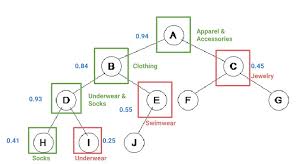
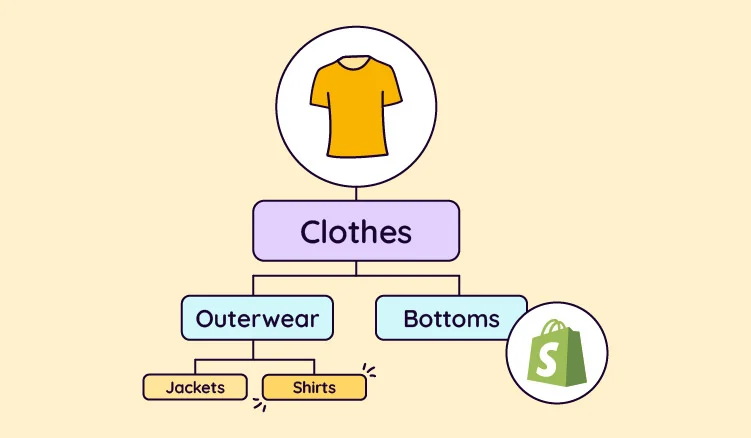
The taxonomy operates through a hierarchical structure that starts broad and becomes increasingly specific. At the top level sit verticals like Apparel & Accessories, Electronics, or Home & Garden. These branch into subcategories, which branch further into specific product types. The same grouping logic powers everything from sorting your product list in admin to building automatic collections. When you create or edit a product, the Category field in the Product organization section places that product within the hierarchy, with Shopify Magic suggesting a category you can refine or override.
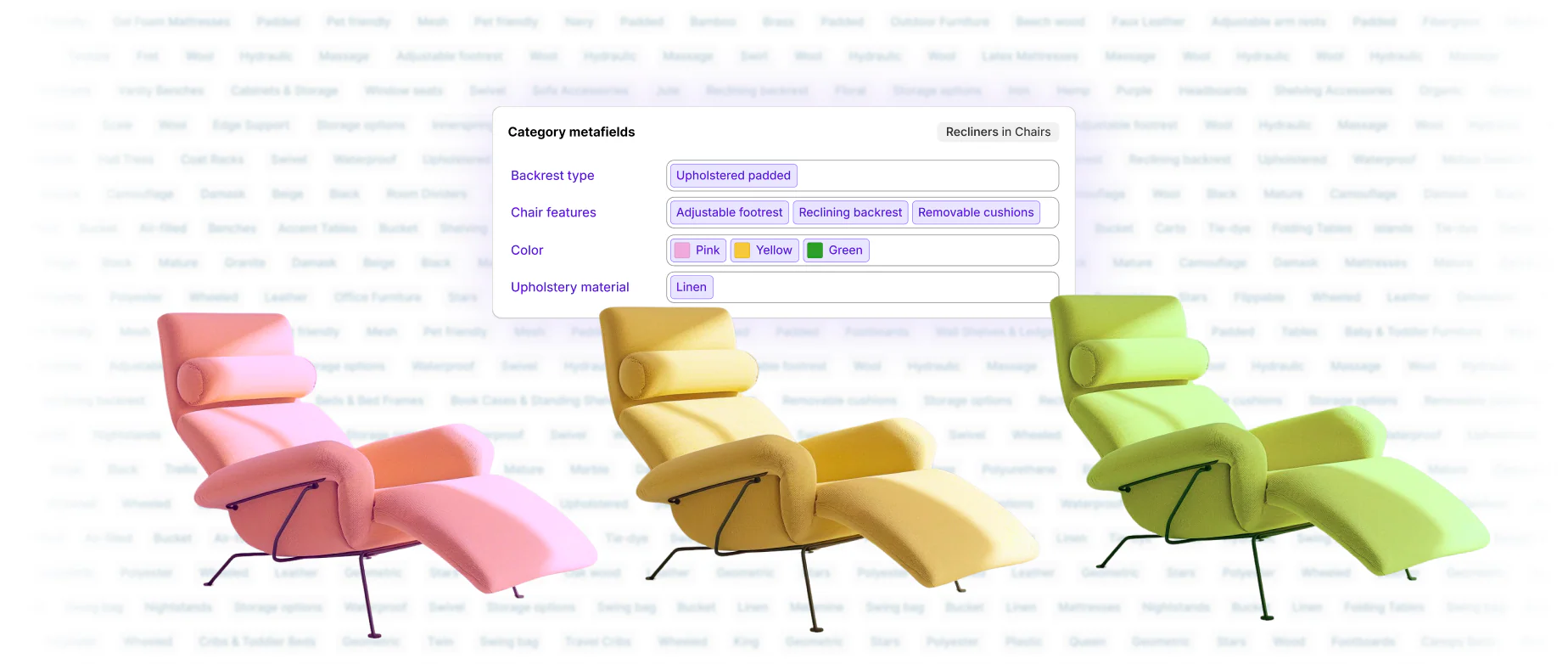
The real value arrives with category-specific attributes, which Shopify calls category metafields. Once you assign a category, the taxonomy automatically surfaces relevant attributes for that product type. A shirt surfaces attributes for size, neckline, sleeve length, fabric, target gender, and colour. A kitchen appliance surfaces completely different attributes like power rating and capacity.
These attributes serve multiple purposes. They power on-site filtering so customers can narrow options by specific criteria. They feed cross-channel selling on Google Shopping, Facebook, and Instagram, keeping product data consistent across marketplaces. They inform Shopify Tax calculations based on product classification. And increasingly, they provide the structured metadata AI systems need to understand and recommend your products.
The attribute values are standardised but customisable. If your brand calls a colour "graphite" rather than "black", you can create that custom value while keeping the underlying structure machines understand; all values are saved and reusable across your catalogue, and colour entries power the native color swatches Shopify renders on current first-party themes like Dawn. For variant-heavy products, attributes also power your options: you decide which attributes differ by variant (like size) and which stay consistent (like material).
Product Category vs Product Type: Understanding the Difference
One of the most common points of confusion among Shopify merchants is the distinction between product category and product type. Both exist in Shopify Admin, both help organise your store, but they serve fundamentally different purposes.
Product category is a standardised field drawn directly from Shopify's Standard Product Taxonomy. It connects your products to a global classification system recognised across Shopify, Google, Facebook, and other platforms. When you assign a product category, you're placing your product within an established, machine-readable hierarchy that AI systems and sales channels already understand.
Product type, by contrast, is a custom field entirely unique to your store. You define it however makes sense for your internal organisation and merchandising strategy. There's no standardisation and no automatic connection to external systems.
Here's a practical example. For a premium organic cotton t-shirt, the product category would be Apparel & Accessories > Clothing > Shirts & Tops, while the product type might be "Sustainable Basics", whatever internal grouping helps you manage inventory and marketing. Product categories drive discoverability, tax accuracy, and cross-channel consistency; product types power internal organisation, collections, and branded navigation. Each product can have only one of each. If you find products with type fields populated but category fields empty, prioritise filling the category assignments first.
How to Design a Product Taxonomy Structure
Shopify gives you the standard taxonomy, but how you apply it across your catalogue is a design decision. Companies that treat taxonomy structure as a deliberate project, with named roles and clear rules, end up with product data that scales. Those that let every team member categorise products their own way end up with duplication, inconsistency, and friction for both visitors and machines. These are the components of a taxonomy structure worth getting right.
Choose your hierarchy levels deliberately
Most product taxonomies work best at two or three levels of depth. Deeper hierarchies look organised on paper but bury products behind extra clicks, and the number of near-empty categories grows every time you add product lines. A useful test: if a level in your product hierarchy would contain fewer than a handful of items, fold it into its parent. For instance, an electronics retailer selling smartphones, chargers, and storage accessories rarely needs Electronics > Mobile > Phones > Smartphones > Android when Electronics > Smartphones does the same job in fewer levels.
Set naming conventions before you scale
Naming is where taxonomies quietly rot. Decide once whether you use "&" or "and", singular or plural, and title case or sentence case, then apply the same naming conventions everywhere. Labels should use the language your customers use, not internal jargon: shoppers look for "kitchen appliances", not "domestic culinary hardware". Write these rules down. A one-page naming document answers most categorisation questions before they reach you.
Plan for synonyms and aliases
Customers describe the same product in different ways. Capri pants, three-quarter trousers, and cropped trousers are one product with three names. Handle synonyms through search configuration and tagging rather than by creating duplicate categories. Shopify's search can map aliases to the same results, so every phrasing of a query lands on the right product list. This is one of the highest-impact, lowest-effort improvements to searchability most stores never make.
Understand categories, tags, and labels
Categories place a product in exactly one position in the hierarchy. Tags are flexible, many-to-many labels you can attach freely; examples include "gift idea", "new season", and "clearance". Use categories for what a product is, tags for how it's merchandised, and attributes for its characteristics. When teams blur those lines, tagging becomes a shadow taxonomy nobody governs, and reporting built on either becomes unreliable.
Write governance rules and assign ownership
Taxonomy governance sounds heavyweight, but at minimum it means one named owner, a short rulebook, and a review cadence. The steps are simple: decide who can create new values, define the process for renaming, and agree how changes get communicated to other teams. In larger organisations, ecommerce, marketing, and operations people all touch product data; without an agreed role for each and clear decision rights, well-meaning employees make structural decisions in isolation and quality erodes. Document your taxonomy requirements like any other operational standard, and budget real resources for the upkeep as the catalogue grows.
How to Assign Product Taxonomy Categories in Shopify
Assigning product categories follows a straightforward process on desktop or mobile. Pick the method that matches your catalogue size.
Adding a Category to a New Product
From your Shopify Admin, go to Products, click Add product, and enter your title, description, and images. Shopify Magic analyses this information and places a suggested category in the Category field within the Product organization section. Accept the suggestion, or search and browse the hierarchy for the most specific category that matches your product. Once assigned, review the category metafields that appear and fill in relevant attributes like material, size options, or target demographic, then save.
Bulk Editing Categories for Existing Products
For many products at once, use the bulk editor. Go to Products, select the items you want to edit using the check box next to each product (or filter by status, vendor, or tag first), and click Bulk edit. Enable the Product category column via the Columns icon if it isn't visible, then work through the list accepting suggestions or searching for the right categories, exactly like editing a spreadsheet. Save once you've updated everything.
Using CSV Files for Large Catalogues
For stores with thousands of products, CSV import is the most efficient approach. Export your catalogue from Products > Export, then populate the Product Category column. The column accepts either the full category breadcrumb (Home & Garden > Decor > Clocks > Alarm Clocks) or the category ID from the taxonomy, but not both at once. Update in bulk with formulas or find-and-replace, then re-import. Shopify validates your assignments and flags any unrecognised paths.
Shopify Magic keeps improving its automated suggestions, but always review them rather than accepting blindly. The most specific category isn't always the first suggestion, and unconfirmed suggestions leave your product effectively "Uncategorized" until you accept them.

Setting Up and Migrating to Shopify's Standard Product Taxonomy
For new products the taxonomy is enabled by default. Always aim for the most specific category that accurately describes your product. A generic assignment like "Apparel & Accessories" provides far less value than "Apparel & Accessories > Clothing > Shirts & Tops > T-Shirts". The more specific your category, the more relevant attributes you gain and the more precisely AI systems can match your product to customer queries.
For existing catalogues, migration takes more deliberate effort. Products created before the Standard Product Taxonomy launched may lack category assignments entirely, sit as "Uncategorized", or use older categories that have since been replaced. Filter your product list by category to find uncategorised products, then work through them individually for high-value items or in bulk for the long tail.
If you already maintain Google Product Category values, Shopify handles the mapping to its own taxonomy automatically, provided your values match Google's English taxonomy names or IDs exactly. That mapping saves significant rework when migrating from feeds built for Google Shopping.
Once categories are assigned, review the category metafields for each product type and populate the attributes that apply. Not every attribute fits every product, but complete attribute data strengthens your product's machine readability across all channels. The migration takes time, but the payoff compounds: better on-site search, more accurate channel syncing, correct tax calculations, and growing visibility in AI-powered shopping recommendations.
Product Taxonomy, PIM, and Product Data Management
For growing businesses, the taxonomy conversation quickly becomes a product data management conversation. Once you sell more than a few hundred SKUs, or source from multiple suppliers, the product catalog stops being something one person can maintain in Shopify Admin alone. This is where product information management (PIM) enters the picture.
A PIM platform acts as the central source of truth for product information: titles, descriptions, specifications, images, categorization, and channel-specific variations. Instead of editing the same product in five places, teams enrich it once in the PIM and syndicate it to Shopify, marketplaces, and other ecommerce platforms. Shopify's Standard Product Taxonomy slots into this setup as the classification layer: your PIM holds the master record, and its category mapping ensures every product lands in Shopify with the right taxonomy assignment and attributes already populated. We've covered what a PIM is and when you need one in a separate guide.
The supplier angle matters more than most merchants expect. When a distributor or manufacturer sends you product feeds, their data arrives in their taxonomy, not yours. Component-level detail (parts, materials, technical specifications, compatibility, even warehouse location) often sits in inconsistent columns with inconsistent naming. Mapping supplier categories to your own taxonomy structure once, as a set of reusable rules, turns every future feed import into an automated process instead of a manual cleanup project. Organizations that skip this mapping step pay for it continuously in operations time and data quality problems.
Whether or not you run a dedicated PIM, the principle holds: product categorization is a core business asset, not an admin chore. It underpins inventory management, powers accurate reporting by category, and determines the efficiency of every downstream workflow, from merchandising decisions to customer services teams finding the right product in seconds. The companies that treat product data as infrastructure grow into their catalogs; the ones that don't hit a ceiling where every new product line adds friction.
Shopify Product Taxonomy and GEO: Optimising for AI Search
Generative Engine Optimisation (GEO) has emerged as the critical counterpart to traditional SEO. While traditional SEO focused on ranking pages in search results, GEO focuses on earning visibility inside AI-generated answers and recommendations. As a GEO agency working with Shopify brands, we treat taxonomy as the foundation of any effective GEO strategy.
AI search systems like ChatGPT, Google AI Overviews, Perplexity, and Gemini don't experience websites the way humans do. They scan for structured data patterns that explain relationships between pieces of information. When evaluating your products, they need the category, attributes, pricing, and availability, and how those elements connect.
Schema markup provides this structured layer, and your Shopify product taxonomy feeds directly into it. Accurate category assignments and complete attribute data can be expressed as Product schema, Offer schema, and related structured data types. Both Google and Microsoft have publicly confirmed they use structured data for their generative AI features, and ChatGPT has confirmed it uses structured data to determine which products appear in shopping-related responses.
The practical implication: products with clean taxonomy, complete attributes, and proper schema markup are significantly more likely to be cited and recommended in AI-generated shopping guidance. GEO methods have been shown to boost visibility in generative engine responses by up to 40%, according to research from Princeton University. If you want to go deeper on optimising for ChatGPT specifically, we've covered the topic in depth elsewhere. The key takeaway here is that your product taxonomy is the data foundation that makes all GEO efforts possible.

Preparing for Agentic Commerce with Product Taxonomy
The next evolution beyond AI-assisted shopping is already here. Agentic commerce refers to AI agents that complete purchases autonomously on behalf of users, handling everything from product discovery to checkout without human intervention at each step.
In January 2026, Google and Shopify jointly announced the Universal Commerce Protocol (UCP), an open standard designed to power this agentic commerce future. The protocol establishes a common language for AI agents to connect and transact with any merchant, covering product discovery, cart management, checkout, and post-purchase workflows including order tracking and returns.
Shopify's UCP integration means merchants can now sell directly within AI Mode in Google Search and the Gemini app, with customers completing purchases without leaving the conversation. UCP was co-developed with major retailers including Etsy, Wayfair, Target, and Walmart, endorsed by Visa, Mastercard, American Express, Stripe, and Adyen, and is compatible with existing standards like Agent2Agent (A2A) and Model Context Protocol (MCP).
Here's why this matters for product taxonomy: AI agents don't browse pages. They query APIs, parse product feeds, and evaluate structured data. When an agent needs to answer "Find me running shoes for flat feet under £100 with good arch support", it needs structured product data to match intent with inventory. Clean category assignments tell agents what type of product they're evaluating. Complete attribute data allows precise matching to customer requirements. Merchants with robust taxonomy are positioned to participate in agentic commerce as it scales through 2026 and beyond. Those without clean product data risk being excluded from AI-driven shopping experiences entirely.
Benefits of Proper Product Taxonomy
Getting your product taxonomy right delivers tangible advantages across your Shopify store.
Faster product creation and categorisation
Shopify Magic uses your taxonomy assignments to suggest relevant attributes automatically, speeding up product creation and reducing manual data entry. Add a new item to a properly categorised store and the system surfaces the right fields immediately.
Improved product visibility and filtering
Accurate taxonomy powers your on-site search, sorting, and collection filters. When customers filter by material, size, or colour, they're querying your category metafields. Complete attribute data means better filtering, faster product discovery, and higher conversion rates.
Simplified multi-channel selling
Shopify's taxonomy aligns with the classification systems used by Google Shopping, Facebook, and Instagram, reducing data mapping headaches when listing products across multiple sales channels and keeping product information in sync without manual adjustments per platform.
Accurate tax calculations
Shopify Tax uses your product categories to determine correct tax rates and identify applicable exemptions, such as clothing exemptions in several US states. Proper classification means you collect the right amount at checkout, avoiding both underpayment liability and overcharging customers.
AI and agentic commerce readiness
Clean taxonomy creates the structured data foundation AI systems need to understand, evaluate, and recommend your products. As agentic commerce scales through protocols like UCP, merchants with machine-readable catalogues will capture ecommerce sales that others miss entirely.

Measuring the Impact of Your Taxonomy
Taxonomy work is only worth doing if it changes customer behaviour, and the fact is you can measure that directly in your analytics. These are the insights we watch for after any categorisation project, and the same signals tell you whether your structure is keeping pace with the growth of the catalogue.
Navigation and search behaviour
Watch how visitors move through collection pages: which filters they use, which categories attract clicks, and where user behavior shows people bouncing between similar categories because the distinction isn't clear. High bounce rates on a collection page usually mean the category promises something the product list doesn't deliver. On-site search reporting tells you the terms customers actually type, which is a free, continuous audit of your labels, synonyms, and search accuracy. If a query with clear purchase intent returns zero results, you've found either a naming gap or an alias you haven't mapped.
Conversion and merchandising signals
Well-structured categories and complete attributes lift more than navigation. They improve internal links between related products, sharpen product recommendations, and make cross-selling smarter because the platform understands which items genuinely relate. They also feed personalization: the more precisely a product is classified, the better any recommendation engine can match it to the right customer. The customer experience improvement shows up as fewer clicks to product, higher add-to-basket rates from collection pages, and more organic traffic landing on category pages that now match real search demand.
Reporting and decision-making
Clean categorisation makes your sales analysis trustworthy. Category-level reporting lets you compare product lines on revenue, margin, and return rate without manual spreadsheet surgery, and return reasons in Shopify Analytics are grouped by product category, giving you insight into why specific types of products come back. That turns taxonomy from a data hygiene exercise into a decision-making tool: which lines to expand, which suppliers to renegotiate with, and where quality issues cluster.
Common Product Taxonomy Challenges and Solutions
Most taxonomy problems repeat across businesses of every size. Here are the challenges we encounter most often, each with a workable solution.
Challenge: inconsistent categorisation across a growing catalogue
As catalogues grow, different people categorise similar products differently, and the same product type ends up scattered across several categories. The solution is structural, not heroic: written naming conventions, one taxonomy owner, and a periodic audit. Filter your product list by category and scan for outliers; something miscategorised is usually obvious the moment you look.
Challenge: attributes left blank because nobody owns them
Categories get assigned but attribute fields (colour, material, size, compatibility) stay empty, so filters return incomplete results and AI systems see thin product data. Assign attribute completion to whoever creates the product record, define which attributes are mandatory per category, and measure completion rates in your regular reporting.
Challenge: legacy taxonomies from a replatform or acquisition
Merchants arriving from another platform inherit categories built for a different system, and sometimes two catalogues need merging into one taxonomy structure. Map the old hierarchy to Shopify's standard categories in a spreadsheet first, agree the mapping with the teams who use the data, then execute it in bulk. Trying to fix the structure product-by-product inside admin is how these projects stall.
Challenge: over-categorisation as the range expands
Every new range tempts you to add a category. Resist it. If the trait could apply across categories (colour, price band, season), it's a filter; if the category would hold a handful of products, it's premature. Shallow hierarchies with rich attributes beat deep hierarchies with thin ones, for humans and for machines.
Best Practices for Shopify Product Taxonomy Success
Having helped dozens of Shopify Plus merchants optimise their product data, we've identified the practices that consistently improve discoverability and conversion.
Be as specific as possible with category assignments
Generic categories limit the attributes available to you and reduce the precision with which AI systems can understand your products. Always drill down to the most specific applicable category.
Complete all relevant attributes for each product
Empty fields are missed opportunities. If the taxonomy surfaces an attribute for your product type and that information exists in your product database, populate it. Materials, dimensions, care instructions, and compatibility all strengthen machine readability.
Use filters, not extra subcategories
Taxonomy categories describe what a product is; your storefront navigation decides how customers browse. Baymard Institute's 2024 benchmark found 91% of ecommerce sites overcategorise, splitting traits like colour or style into separate subcategories when they should be attribute-driven filters. If a product could reasonably belong to more than one subcategory, make that trait a filter powered by category metafields instead.
Bulk-categorise large catalogues from the source files
There's no official CSV download of the full taxonomy, a gap merchants regularly hit when importing thousands of SKUs. The category tree is published as txt and json distribution files in Shopify's open-source repository, so your developers can build a mapping table from your legacy categorisation framework to Shopify's categories and apply it in one CSV import rather than categorising by hand.
Maintain consistency across your catalogue
Use the same terminology, formatting, and value names for identical attributes across products. Inconsistent metadata confuses both human shoppers using filters and AI systems trying to understand your inventory.
Audit your taxonomy regularly
Shopify ships taxonomy releases quarterly, and the 2025-12 release alone added 1,000+ categories. Products categorised accurately a year ago may now have more specific options available. Fold a taxonomy review into your regular ecommerce SEO audits, and use Google's Rich Results Test to verify your structured data output while you're at it.
Consider taxonomy in product content creation
When writing product titles, descriptions, and alt text, include terminology that aligns with your category and attributes. This reinforces the semantic clarity that both search engines and AI systems reward. And if you've been on Shopify for years, prioritise auditing older listings: migrated products are where incomplete categorisation hides.
Where We'd Start on Most Plus Stores
When Charle audits the product data on an established Shopify Plus store, the pattern is nearly always the same: the top sellers are categorised reasonably well, and everything below the first hundred SKUs is a mix of "Uncategorized" products, half-accepted Shopify Magic suggestions, and attributes left blank. The instinct is to fix everything at once. We think that's the wrong call.
Our position: run taxonomy work in revenue order, not catalogue order. Fully categorise and attribute the 20% of SKUs that drive most of your revenue before touching the long tail, because those are the products AI engines get asked about and the ones where a missed recommendation costs real money. A tail product with a generic category loses you little; a hero product with blank attributes is a hole in your ecommerce revenue. Then handle the tail programmatically through the CSV route above rather than paying anyone to click through thousands of product pages. Taxonomy is data plumbing, and plumbing projects fail when they're scoped as perfectionism instead of priority.