 Nic Dunn, CEO, Charle Agency

The short answer
ChatGPT can be used for Shopify in three distinct ways, and most store owners only know about one of them. You can use it as an assistant outside your store, drafting product descriptions, blog posts, ads, emails and market research. You can install it inside your store as a plugin, where it answers customer questions, recommends products and recovers abandoned carts. And since Instant Checkout arrived, you can sell through it directly, with shoppers buying from your Shopify catalogue without ever leaving the conversation.
The twelve ChatGPT use cases below are ordered by how quickly they return the time you put in. Content creation and customer service pay back within a week. Selling inside ChatGPT is a longer build with a bigger ceiling.

The three ways ChatGPT plugs into a Shopify store
Before the individual tasks, it helps to be clear on which mode you are in, because the setup effort and the risk profile differ sharply.
As a tool you use. You open ChatGPT in a browser tab, give it context about your business, and paste the output into Shopify. Zero setup, zero cost on the ChatGPT free tier, and full editorial control. This covers most content creation, market research and code work.
As a plugin on your storefront. You install an app from the Shopify App Store that calls an LLM behind the scenes, then feed it your policies and product data so it can answer buyers in real time. Setup takes an afternoon. Ongoing cost is a monthly subscription. This covers customer service, product recommendations, order management and cart recovery.
As a sales channel. Your Shopify catalogue becomes discoverable inside ChatGPT, and eligible merchants can accept payment in the chat. Setup is mostly toggling a setting, but the work that decides whether it produces revenue is all in your product data and brand authority.
1. Write product descriptions and titles at scale
This is the highest-volume job and the one most store owners start with. Feed ChatGPT raw product data, materials, dimensions, price point and a few lines from real customer reviews, then ask for a description written for a named audience in a specific tone. Specificity in the prompt is what separates usable copy from filler.
A weak prompt returns a paragraph you could paste onto any competitor's product pages. A strong one names the theme, the buyer and the constraint: "Write a 60-word description for the Stockwell Tote, SKU 1043, £129.00. Vegetable-tanned leather, fits a 15-inch laptop. Audience is commuters replacing a worn-out bag. Tone: calm and precise, no superlatives."
Shopify Magic and Sidekick write descriptions directly into your product listings from inside the admin, which removes the copy-paste step. ChatGPT is the better tool when you want to test three variations of tone before committing, or when you are rewriting a whole catalogue after a migration and need consistency across hundreds of items. Whichever route you take, a human should load the final copy with real specifics before it goes live.
2. Automate customer service with a storefront assistant
Repetitive customer questions are the clearest efficiency win available. Where is my order, what is your returns policy, do you ship internationally, does this run small. A trainable assistant answers all four instantly, in any of the languages your buyers use, at two in the morning.
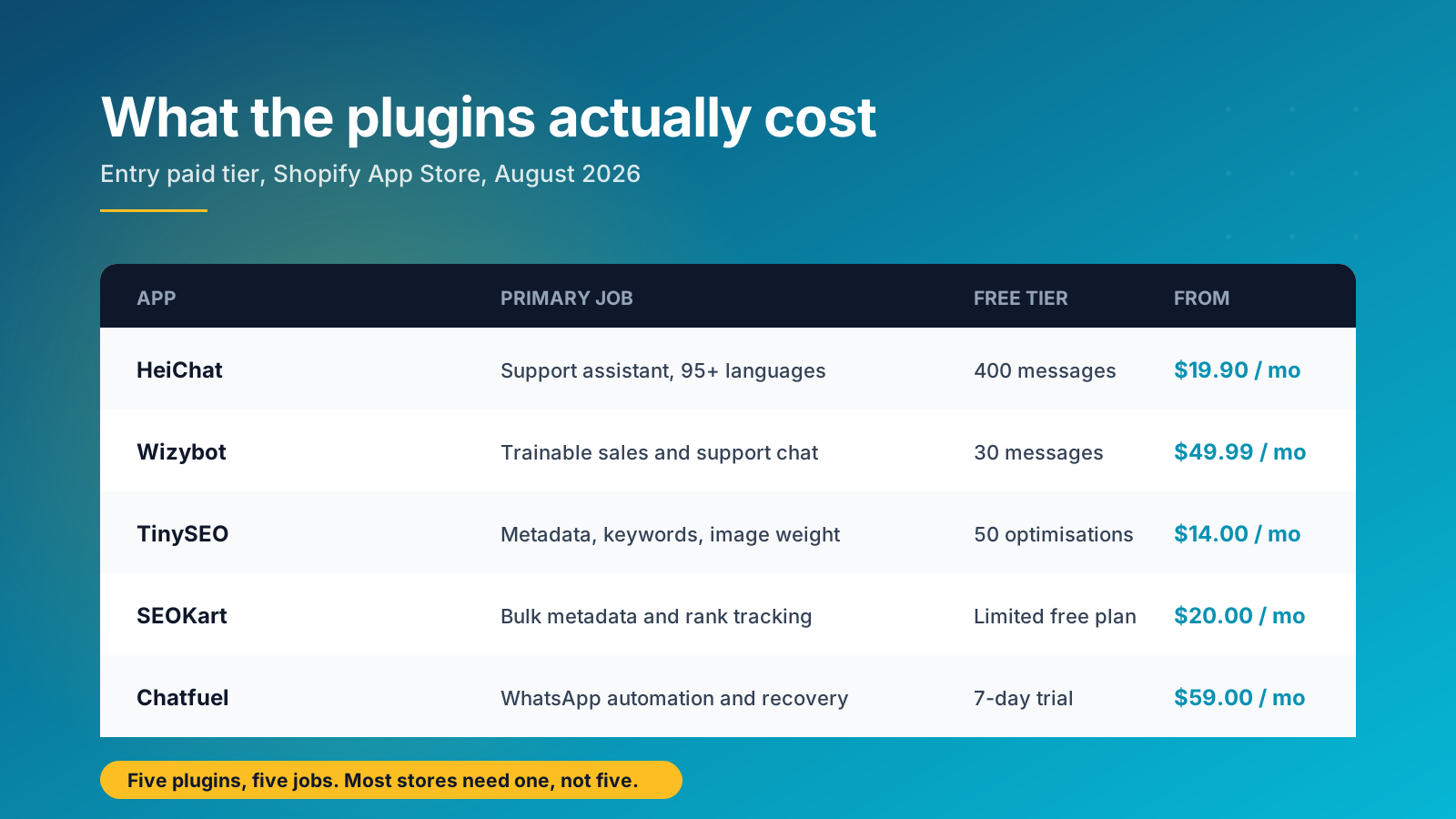
The ChatGPT plugins that do this well let you upload your policies as a knowledge base, set the tone of voice, and define an escalation trigger so anything complex lands with a human. Efficiency comes from the volume they absorb, not from the features on the listing page. HeiChat supports over 95 languages and starts at $19.90 a month with a 400-message free tier. Wizybot is trainable on your own material and starts at $49.99 a month. Chatfuel runs the same automation through WhatsApp and starts at $59 a month.
Two things matter more than which app you pick. First, deflection only helps if the answers are right, so audit the chat logs weekly for the first month and correct the knowledge base. Second, always leave an obvious path to a human. A confidently wrong answer about a refund costs more than the ticket you saved.
3. Draft SEO metadata, keyword lists and blog content
Meta titles and descriptions are the fastest SEO task to hand over, particularly on a large catalogue where hundreds of product pages have inherited the same default text. ChatGPT-powered plugins such as TinySEO and SEOKart generate metadata in bulk against your own keyword list, and TinySEO adds image compression, broken link fixing and JSON-LD setup on top, starting at $14 a month with 50 free optimisations.
For longer content, use it to structure rather than to write. Give ChatGPT your target keyword, the questions customers actually ask you, and your internal linking targets, then ask for an outline with subheadings. Write the substance yourself and let it handle the scaffolding. Our Shopify SEO guide covers how that content should be structured once you have the outline, and the Shopify SEO checklist covers the technical side.
4. Write Liquid code and small custom features
ChatGPT has read a large share of Shopify's documentation and writes functional Liquid. It is genuinely useful for lightweight, self-contained features: a custom line item property on the cart, a login gate in front of trade pricing, a conditional upsell block, an engraving field on a product page. Each of those features is available as a paid app, so building it yourself with ChatGPT removes a recurring subscription.
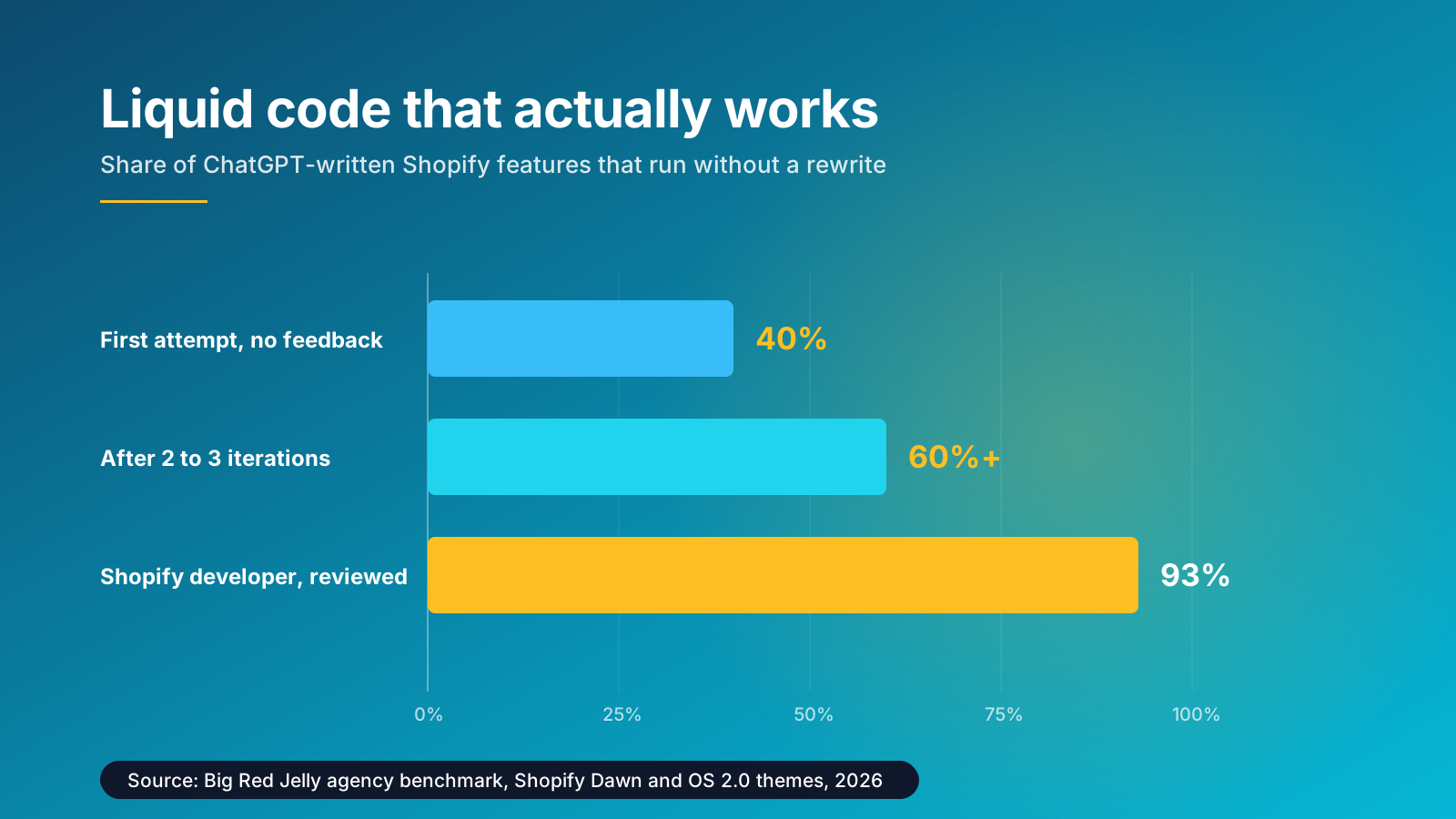
Set expectations from the published benchmarks. Big Red Jelly's Shopify team reports roughly 40 percent success on raw first-attempt code with no feedback, rising past 60 percent once you test it, describe the specific failure and ask for a targeted fix rather than a full rewrite. Themes built on Online Store 2.0 postdate parts of the training data, so newer theme architecture needs more correction.
Three rules keep this safe. Test in a duplicate theme, never the live one. Give the model your theme name, page type and the exact behaviour you want, because vague prompts produce vague code. And use the Custom Liquid block in the theme editor as a lower-risk placement before you start editing core theme files.
5. Run market research and analyse reviews
This is the most underused application and the one with the best ratio of effort to insight. Paste 200 product reviews into ChatGPT and ask for a sentiment breakdown, the five most common complaints, and the exact phrases customers use to describe the benefit. You get a themed analysis in a minute that would take an afternoon by hand, plus a vocabulary list you can lift straight into your copy.
The same approach works on support conversations, post-purchase survey responses and competitor reviews. Ask what buyers say a rival product gets wrong, then check whether your own product pages answer that objection. Feed it your Shopify reports on returns by reason and ChatGPT will group them into patterns worth acting on. That analytics work used to need a spreadsheet and a free afternoon.
One discipline applies throughout: it can summarise data you give it, but it cannot be trusted to source data. Never ask it for market size figures, industry statistics or a case study. Anything with a number in it needs a real source behind it.
6. Draft email and SMS campaigns
Email remains one of the highest-return channels in ecommerce, and it is also the one that quietly eats the most hours. A four-part welcome sequence, a browse abandonment flow, a win-back for lapsed buyers: each needs its own tone, structure and offer logic.
Give ChatGPT the flow structure and let it produce the first draft of every email in one pass. Then ask for ten subject line variations with different angles for testing, and rewrite the same message for two segments, first-time buyers and repeat customers, adjusting tone and offer. Pull the language from real reviews so the copy sounds like your customers rather than like a model.
Klaviyo has its own predictive analytics and content suggestions built in, covering send-time optimisation and segment selection. ChatGPT is the better tool for the creative first pass. Our ecommerce email marketing strategy guide covers which flows to build first.
7. Produce paid ads and social media posts
Paid ads punish creative bottlenecks. Every audience needs its own variation, character limits are tight, and the only way to find the winning angle is to test several. Ask for ten Google headlines under 30 characters for a named product and audience, with a stated tone, and you have a test matrix in seconds.
Social media posts work the same way. Give ChatGPT the product, the occasion and the platform, and ask for captions in three registers. The output is raw material, not finished work, but it removes the blank page. Where it adds most value is repurposing: turn one five-star review into a homepage quote, an Instagram caption and an ad headline without rewriting the sentiment each time.
8. Automate admin tasks, reports and internal workflows
Behind the storefront sits a pile of small tasks nobody enjoys: summarising the week's support conversations, drafting supplier emails, turning a messy spreadsheet into a clean product import, writing help centre articles for fifteen common questions at once.
Connect ChatGPT to Zapier or Shopify Flow and these tasks become a scheduled workflow rather than manual admin. A weekly digest of new reviews grouped by theme. A draft reply queued for every support ticket tagged shipping. An alert that reformats itself into plain English when inventory management thresholds trip. Each workflow is small; the management overhead they remove between them is not. None of it is glamorous, and collectively it is where a small team finds its hours back.
More recently ChatGPT can also act inside your store through a connected assistant, adding products, checking orders, updating prices and pulling reports on request. Treat write access carefully and start with read-only reporting until you trust the behaviour.
9. Personalisation and product recommendations
Personalisation is where AI moves from saving time to making sales. A ChatGPT assistant that has read your catalogue can guide a shopper the way a good salesperson does, asking what the product is for before suggesting anything. Personalisation of this kind is management of attention rather than management of data. Product quiz tools such as Octane AI apply the same idea to a structured flow, and platforms including Nosto and Rebuy adjust recommendations, pop-ups and content blocks in real time based on behaviour.
The measurable outcomes are cart size and conversion rather than traffic. A guided flow that asks two qualifying questions before recommending typically outperforms a static bestsellers grid, because it removes the wrong-product risk that stops people buying. If you are working on conversion more broadly, our Shopify CRO service covers where to test first.
10. Which ChatGPT Shopify plugins are worth paying for
Only a minority of apps that market themselves as ChatGPT plugins actually call the OpenAI API. Others run a different model, and a few are simple automation with AI branding and stock images on the listing. Read the feature detail before you commit, and check whether the app runs inside the Shopify admin or forces you into a separate dashboard, because a second dashboard rarely gets opened after week two.
Match the plugin to the job rather than installing several. Support automation, SEO metadata and product description generation are three different problems, and the best tool for each is a different vendor. Every additional app adds scripts to your storefront, and uninstalled apps frequently leave those scripts behind, which is a common and avoidable cause of page speed decay.
11. Sell inside ChatGPT with Instant Checkout
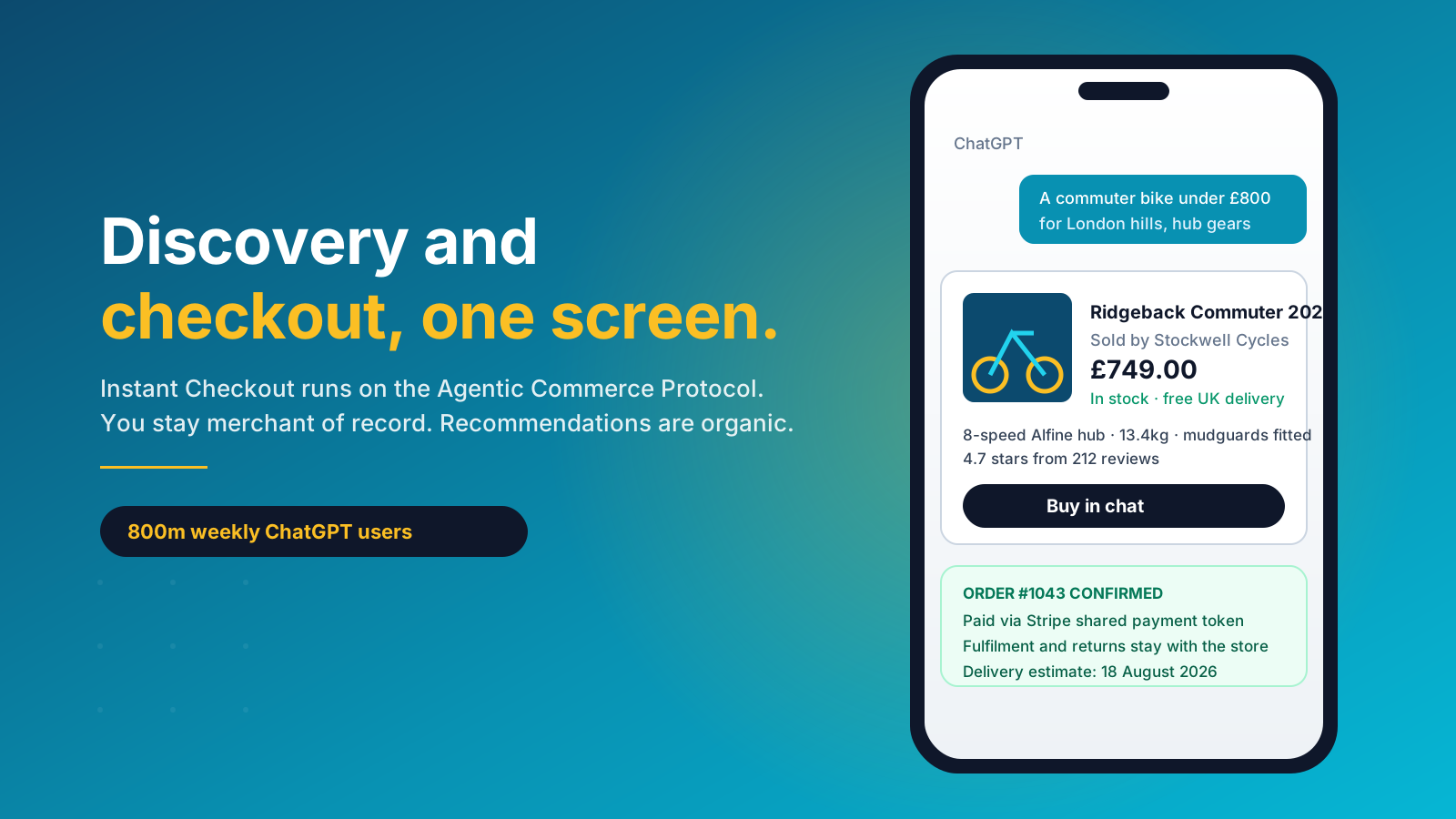
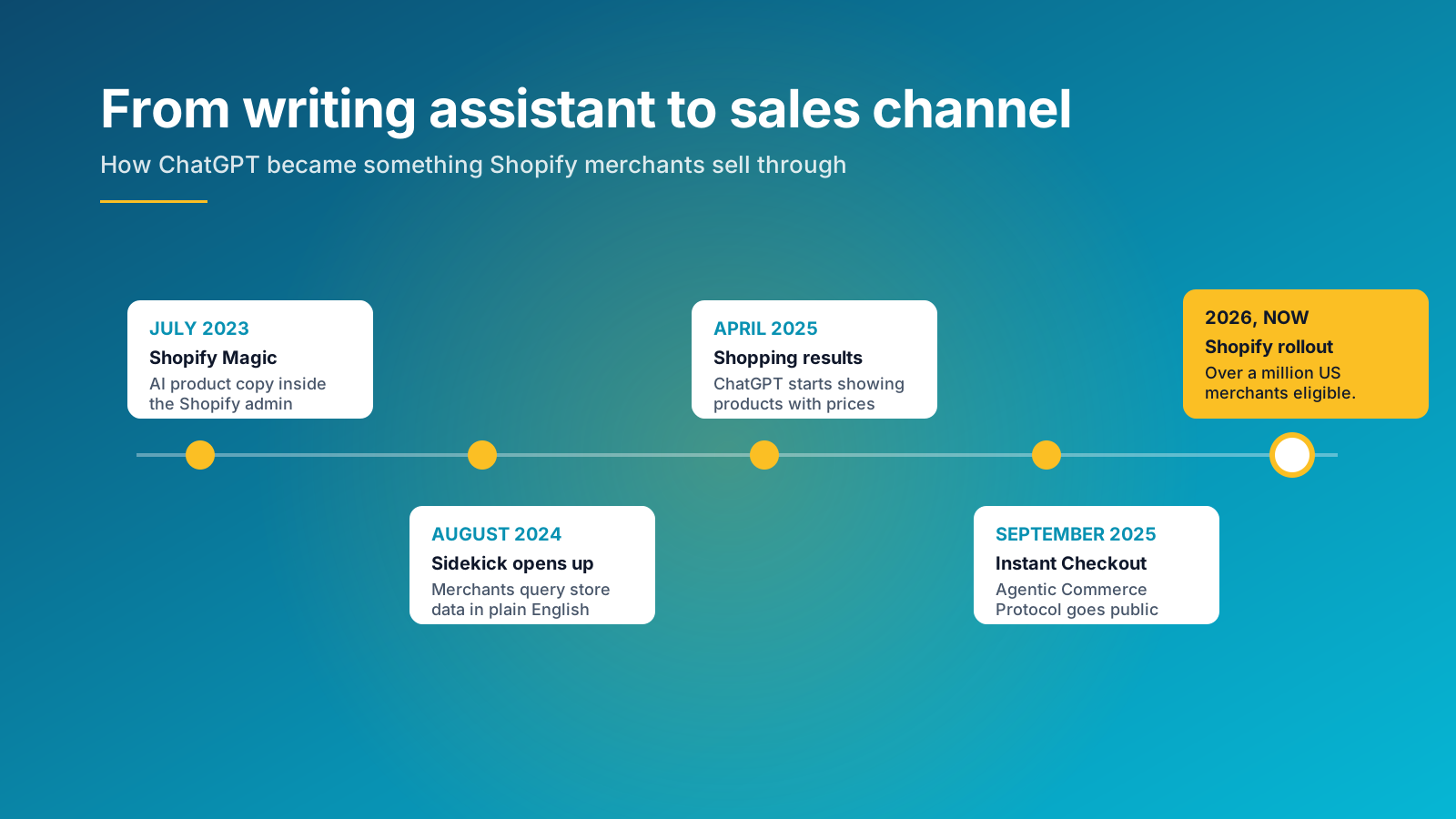
The largest change of 2026 is that ChatGPT stopped being only a tool merchants use and became a place customers buy. Instant Checkout, built on the Agentic Commerce Protocol that OpenAI and Stripe published as an open standard, lets a shopper complete a purchase inside the conversation.
Three details matter commercially. You remain merchant of record, so pricing, fulfilment, returns and the customer relationship stay with you. Payment runs through a shared payment token, and if you already process with Stripe the change is close to a configuration update. And recommendations are organic, which means relevance rather than ad spend decides whether you appear.
Access is rolling out through Shopify rather than a separate beta, with over a million US merchants expected to gain eligibility. The practical readiness list is short: an active paid Shopify plan, an updated Stripe integration, accurate inventory synced across channels so ChatGPT never recommends something you cannot ship, and clear returns and shipping policies displayed on the product page. Test it by asking ChatGPT the questions your buyers ask, then walk two orders all the way through to confirm tax, shipping and order management behave as they do on your own storefront.
Getting the commercial groundwork right first
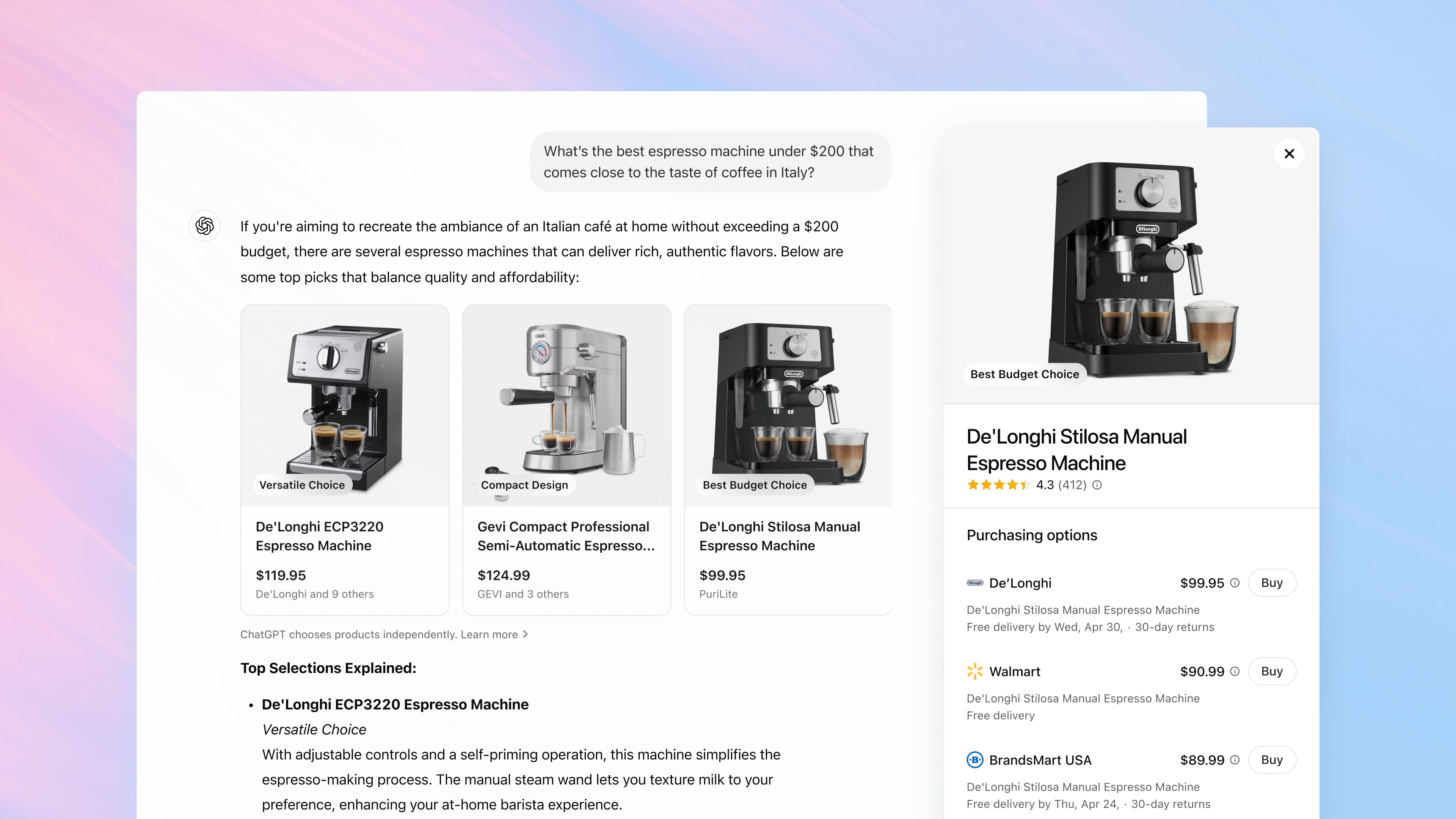
ChatGPT Shopping lets shoppers discover and compare products through natural language rather than a results page. The system reads context and follow-up questions, so discovery feels closer to a guided conversation than a search. Merchants can also submit product data directly through OpenAI's merchant waitlist, and Shopify documents the sales channel itself under Sell on ChatGPT in the Shopify admin.
None of this replaces SEO. GEO and AI SEO work alongside existing search strategy in the same way Google Merchant Center supports visibility through structured data. With millions of products competing for attention, the stores that invested early in strong product data, clear site structure and genuine customer reviews are the ones being suggested.
12. Optimise your store so ChatGPT recommends it
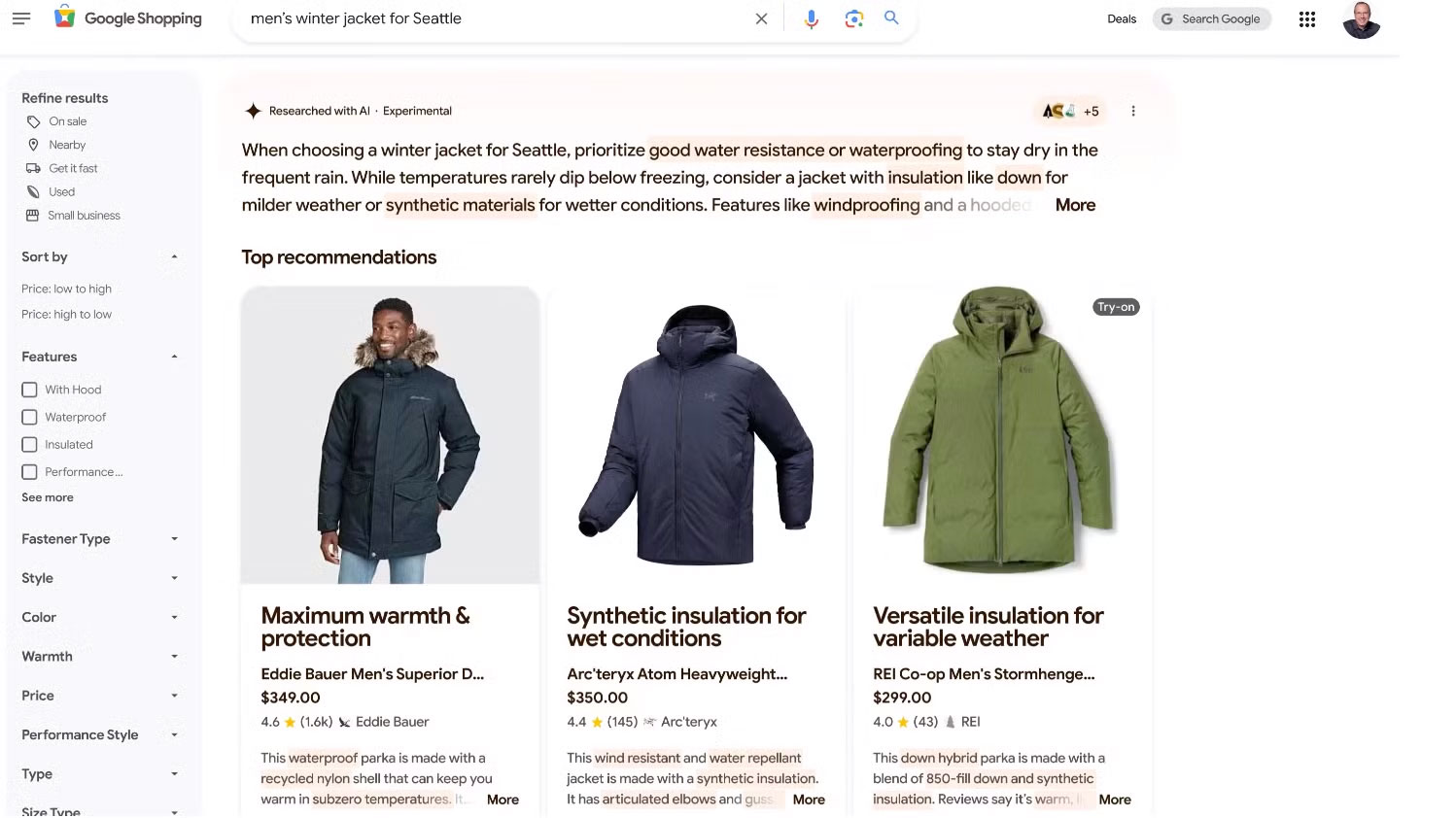
As AI assistants become a primary entry point for product discovery, Shopify stores need to be optimised for machines as well as humans. Strong design and branding still matter, but AI-driven discovery depends on how clearly your store communicates product information, pricing, options and trust signals across every touchpoint. Many established SEO principles still apply, and when executed properly they support both traditional search visibility and AI-powered commerce.
Unlike classic SEO, which focuses heavily on keywords and rankings, AI discovery relies on clean data, natural language, semantic relevance and authority. If your products, materials, shipping details and commercial policies are unclear or inconsistent, an assistant may struggle to confidently surface your store when users ask shopping-related questions. That makes site structure, data accuracy and brand clarity as important as the content itself.
Product data and descriptions
Your product data is the foundation of AI visibility. Large language models rely on well-structured, descriptive information to understand and surface products accurately. Write titles that are clear and specific, and descriptions that use natural language rather than keyword stuffing. Include size, colour, material and use case. Instead of "Running Shoes", go with "Men's Lightweight Trail Running Shoes, Waterproof, Size 10". Rich, human-readable content increases your chances of appearing when someone asks for the best waterproof running shoes under £100.
Structured data and schema
Schema is code added to your site that helps search engines and AI tools understand the content and context of your pages. Most ecommerce brands already use schema markup, but having it is not the same as having it done well. As assistants surface products through natural language queries, they lean on structured data to understand your catalogue at scale, particularly when parsing product feeds or direct integrations.
Audit your schema for completeness and accuracy. Use Google's Rich Results Test or the Schema Markup Validator to check that your markup complies with current standards. Focus on clean implementation of Product, Offer, Review and Breadcrumb schema, and make sure there is no duplication or conflicting markup. Our guide to adding schema to Shopify covers the implementation detail.
Collections, navigation and site structure
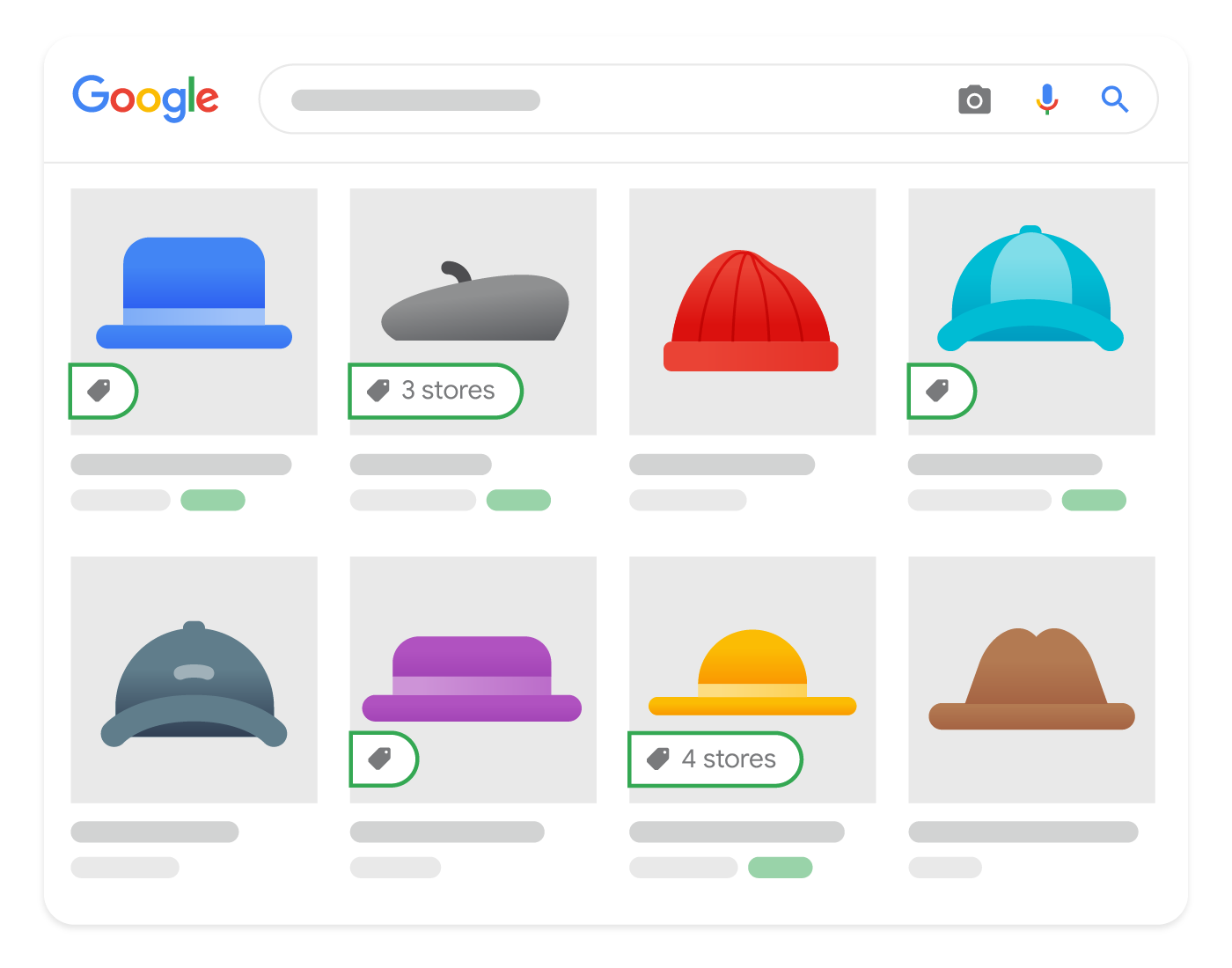
Your collection structure is not just for users, it is how AI understands product relationships. Organising products into well-defined, semantically relevant collections helps a model connect what customers are asking for with what you sell. Avoid overly broad or inconsistent groupings, and use naming conventions that reflect how people describe products, so "Vegan Leather Handbags" rather than "Accessories".
Give each collection page a strong heading, supporting text and schema markup. Models crawling your site or ingesting a product feed use that structure to infer meaning, so the cleaner your navigation, the easier it is to recommend the right products.
Content built for how people ask
AI models do not search the way humans do. They interpret questions and answer from context and natural language, so your content needs to align with how people ask rather than what they type into a search box. Think about phrases like "what's the best moisturiser for sensitive skin under £30" or "show me durable backpacks for commuting", because those are the prompts customers already use.
Test the assistants yourself. Ask them about your industry, your products and your competitors, then pay attention to what they surface and which sources they cite. That tells you more about how intent is being interpreted than any keyword tool will.
Site speed and the post-click experience
AI may be changing discovery, but your store's user experience still decides the outcome, especially when someone clicks through from a recommendation. Fast, mobile-optimised stores retain more of that traffic and convert more of it.
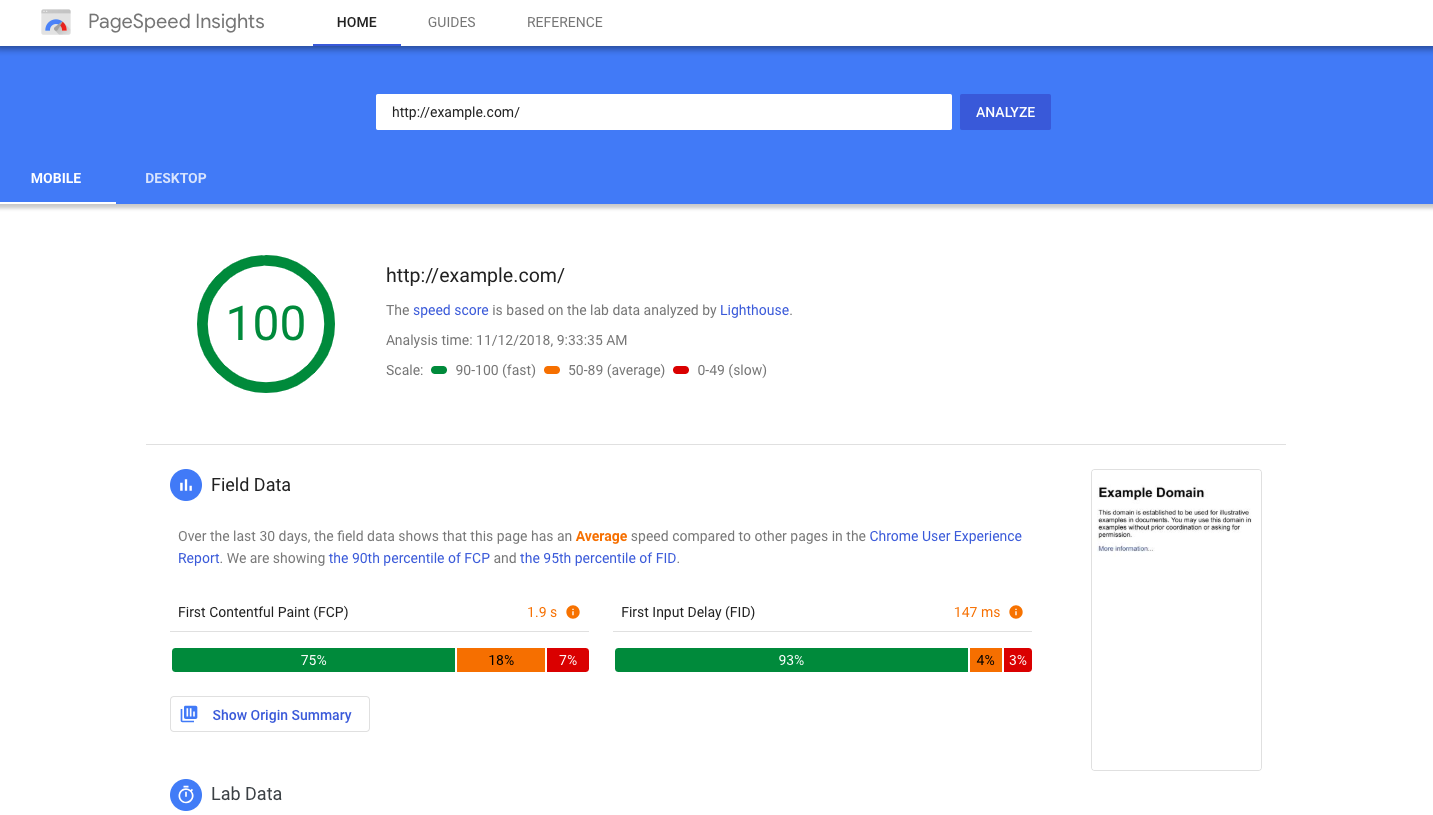
Assistants tend to favour links that lead to reliable, responsive pages. If your site is slow, cluttered or broken on mobile, you lose people at the last step. Prioritise clean design, clear calls to action and an easy checkout. Use Google PageSpeed Insights or Lighthouse to find the quick wins, and read our guide on Shopify speed optimisation for the specifics.
Citations, authority and backlinks
When assistants surface products and brands in response to shopping queries, they lean heavily on signals of authority and trust. Citations, backlinks and credible references help validate which brands are established and worth recommending, mirroring how AI already answers informational queries.
For ecommerce brands, authority is no longer only about rankings. Mentions across reputable publications, partner sites, industry blogs and review platforms reinforce credibility. Unlike traditional SEO where backlinks dominate, models place real weight on being named in trusted third-party roundups, so getting into a credible "best of" list is often worth more than another generic link.
Use AI search discovery tools to analyse which citations and sources appear in generated responses for your key categories. Reviewing where competitors are cited highlights the gaps worth closing.
Reviews and user-generated content
Models recommending products favour listings with clear trust signals, and user-generated content and product reviews are the strongest source of that. Reviews provide sentiment, context and social proof that help determine quality and suitability.
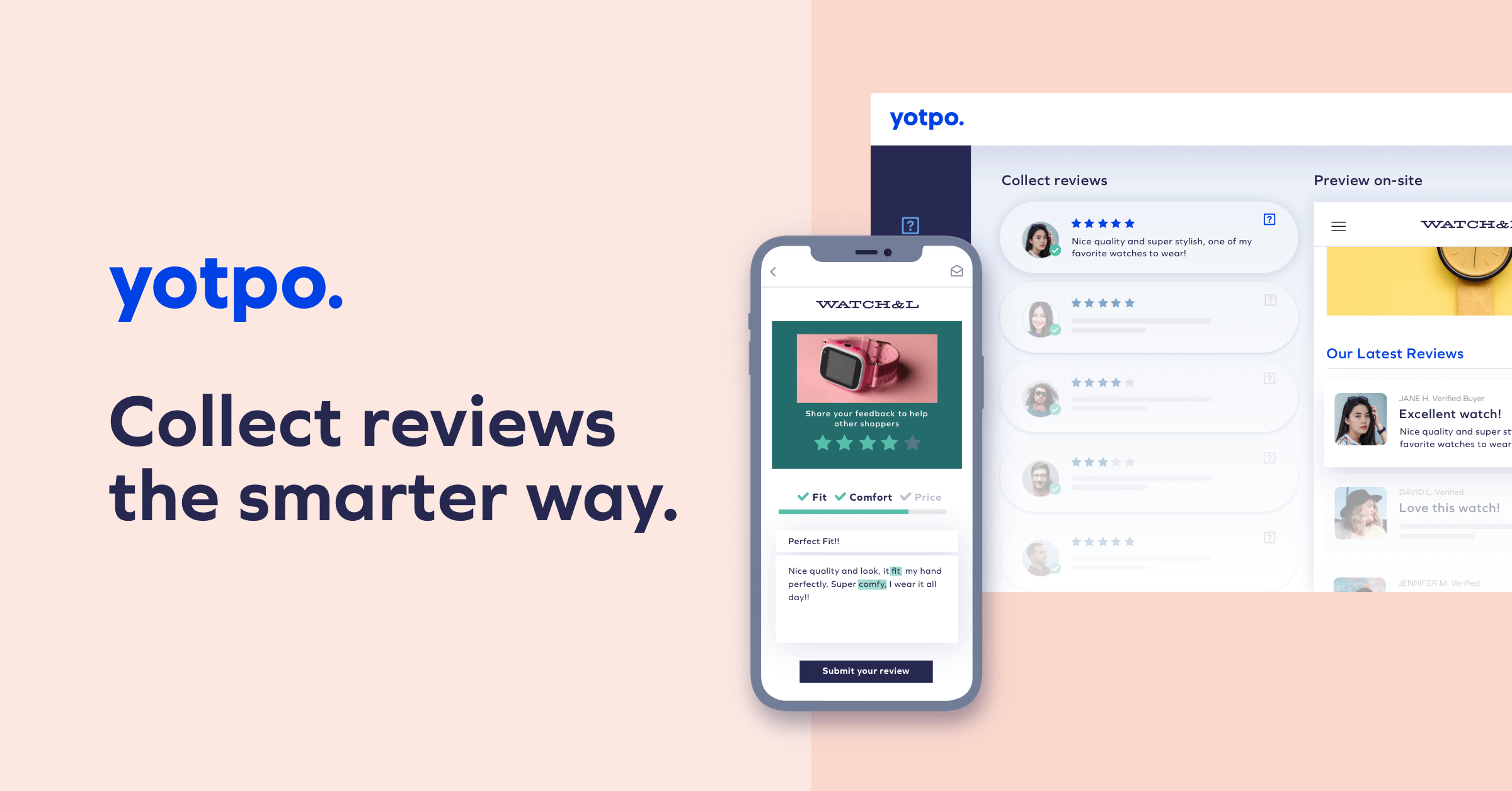
Structure your reviews with Review or AggregateRating markup, and avoid burying them inside iframes or third-party widgets that cannot be crawled. Platforms such as Yotpo, Okendo and Junip allow easy export and visibility to both search engines and AI crawlers.
Conversational content and FAQs
Content written in a question-and-answer format matches how users phrase queries in real time. Adding FAQs to product pages, category pages and landing pages helps a model understand your store and improves your chances of being recommended in conversation.
Think about what customers ask before buying: is this suitable for sensitive skin, does it come with a warranty, can I wear this in the rain. Answer them on the page in clear language that reads like a helpful reply.
Feed readiness and data consistency
Clean, structured product feeds are how AI platforms ingest and understand catalogue data at scale. Audit what you send to Google Merchant Center, your Klaviyo product feeds and your Shopify JSON endpoints. Titles, descriptions, prices, availability and categories should be consistent, complete and in plain language. Vague titles and missing attributes create friction for both AI and feed-based platforms.
Tracking your AI search visibility
Traditional SEO tools do not yet show how products and brands surface inside chat-based experiences, which is where dedicated AI visibility platforms come in. Tools such as Peec AI and Profound track AI search visibility, monitor citations and show how competitors are being referenced. Those insights let teams identify gaps, validate optimisation work and prioritise the actions that move AI-driven discovery.
How this connects back to SEO
Many core SEO principles still apply and contribute to your visibility inside assistants. Search engines and AI models both look for signals of authority, trust and content quality.
Building content clusters around specific topics, earning high-quality backlinks and creating detailed, value-driven content raise your Google rankings and shape how models perceive and recommend your brand. The more consistent and authoritative your presence across your site and the wider web, the more likely you are to be treated as a relevant source. Good SEO hygiene still matters.
What you should keep ChatGPT away from
Some tasks belong with people, and the cost of getting them wrong is high enough that the time saved is irrelevant.
Terms, privacy policies and anything with legal exposure. The model produces plausible, well-structured policy text, which is exactly the problem. Refund entitlements and consumer rights differ by jurisdiction and get updated. Have a solicitor draft these.
Statistics, case studies and research. It will invent numbers and attribute them confidently. Every figure you publish needs a source you can point to.
Whole blog posts published unedited. Readers spot the pattern, and so do search engines assessing whether content demonstrates first-hand experience. Use it for structure and first drafts, then add what only you know.
Anything that speaks for your brand without review. A support assistant answering a refund question incorrectly is worse than a slow reply.
What we would change first if this were our store
Most stores approach this backwards. They install three plugins in a week, get a chat bubble that answers half the questions badly, then conclude AI does not work for their category. The sequence that actually works is quieter.
Start with the reviews. Before you automate a single reply, paste your last 200 reviews and support conversations into ChatGPT and ask what customers consistently ask before buying. On one client catalogue that exercise surfaced a sizing question appearing in a third of pre-purchase messages, which had never made it onto the product page. Answering it in the description did more for conversion that month than any tool we could have installed.
Then fix the product data before you chase visibility inside ChatGPT. Every hour spent on schema, feed accuracy and descriptions written in real language pays twice, once in Google and once in AI recommendations. Stores asking us how to appear in ChatGPT usually have a catalogue where half the products lack a description longer than a sentence, and product images with no alt text at all. That is the actual blocker, not the absence of a plugin.
The contrarian position we hold: for most stores under £5m, the sales-channel story is the least urgent part of this. It is real, it is coming, and it is largely out of your hands until eligibility reaches you. The compounding work is the same work that has always mattered, which is being genuinely clear about what you sell and why it is right for a particular person. AI has simply raised the penalty for being vague.
Frequently asked questions
How can ChatGPT be used for Shopify?
Store owners use it in three ways: as a writing and research assistant for product descriptions, blog posts, ads, emails and market research; as a plugin installed on the storefront so it answers customer questions and recommends products; and as a sales channel, because Instant Checkout lets shoppers buy from a Shopify catalogue without leaving the chat.
Is there a free way to use ChatGPT with a Shopify store?
Yes. The free tier will draft product descriptions, ads, emails and social media posts that you paste into the Shopify admin. Several plugins carry free tiers too, including HeiChat at 400 messages, Wizybot at 30 messages and TinySEO at 50 optimisations a month. Paid plans only become necessary once volume grows.
Can ChatGPT write Liquid code for Shopify?
It can. Agency benchmarks put first-attempt success at roughly 40 percent, rising past 60 percent once you feed the error back and ask for a targeted fix. Always test in a duplicate theme rather than the live one, and give the model your theme name, page type and the exact behaviour you want.
How do I train ChatGPT on my own Shopify store data?
You do not train the model itself unless you fine-tune, which is rarely worth the cost. You supply context on every request instead: product data, tone guidelines, returns policy and shipping rules. Plugins that advertise a knowledge base are doing exactly this on your behalf.
Does using ChatGPT to write content hurt Shopify SEO?
Unedited output does. Google rewards content that shows first-hand experience, and a generic description reads the same as a competitor's. Used as a first draft that a human then loads with real specifics, sizing, materials and customer language, it speeds up content creation without costing you quality.
Which ChatGPT Shopify plugin should I install first?
Start with the job that costs you the most hours. If support tickets dominate, a trainable assistant such as HeiChat or Wizybot earns its keep fastest. If a large catalogue is missing metadata, an SEO plugin such as TinySEO or SEOKart clears the backlog. Installing five plugins at once slows the storefront and duplicates work.
How do I get my Shopify products recommended inside ChatGPT?
Recommendations are organic, so relevance decides visibility rather than ad spend. Write titles and descriptions in natural language with real specifics, keep Product, Offer and Review schema clean, maintain an up-to-date product feed, and earn mentions on trusted third-party sites the model already reads.
What should you not use ChatGPT for on a Shopify store?
Keep it away from terms and conditions, privacy policies, refund entitlements and anything with legal exposure. Do not let it invent statistics, case studies or research. And do not publish a whole blog straight from the model, because readers and search engines both spot the pattern quickly.
Conclusion
ChatGPT earns its place in a Shopify business at three levels, and they pay back on different timescales. Content creation and customer service return hours within the first week. Better product data, schema and feeds compound over months across both Google and AI recommendations. Selling inside the chat is the newest layer and the one most dependent on eligibility reaching you.
The stores getting the most from it are not the ones with the most apps installed. They are the ones that used it to understand their customers better, then wrote that understanding into pages a person and a model can both read. Start with the reviews, fix the product data, install one plugin for the job that hurts most, and revisit the sales channel when it opens to you.
Charle and AI-driven commerce
At Charle we help ambitious Shopify brands prepare for the next phase of commerce with practical, long-term strategy. From optimising stores for AI-driven discovery to preparing for assistant-led customer journeys, we support merchants at every stage of growth. Through Charle Search, our SEO and GEO offering, we help brands improve visibility across traditional search engines and emerging AI-powered discovery channels. Explore our GEO services or read our GEO optimisation guide for a deeper look at how to prepare your store. You can also compare the best GEO agencies in the UK and the top AI SEO agencies. If you would like to discuss how Charle can support the growth of your store, get in touch today.