 Nic Dunn, CEO, Charle Agency
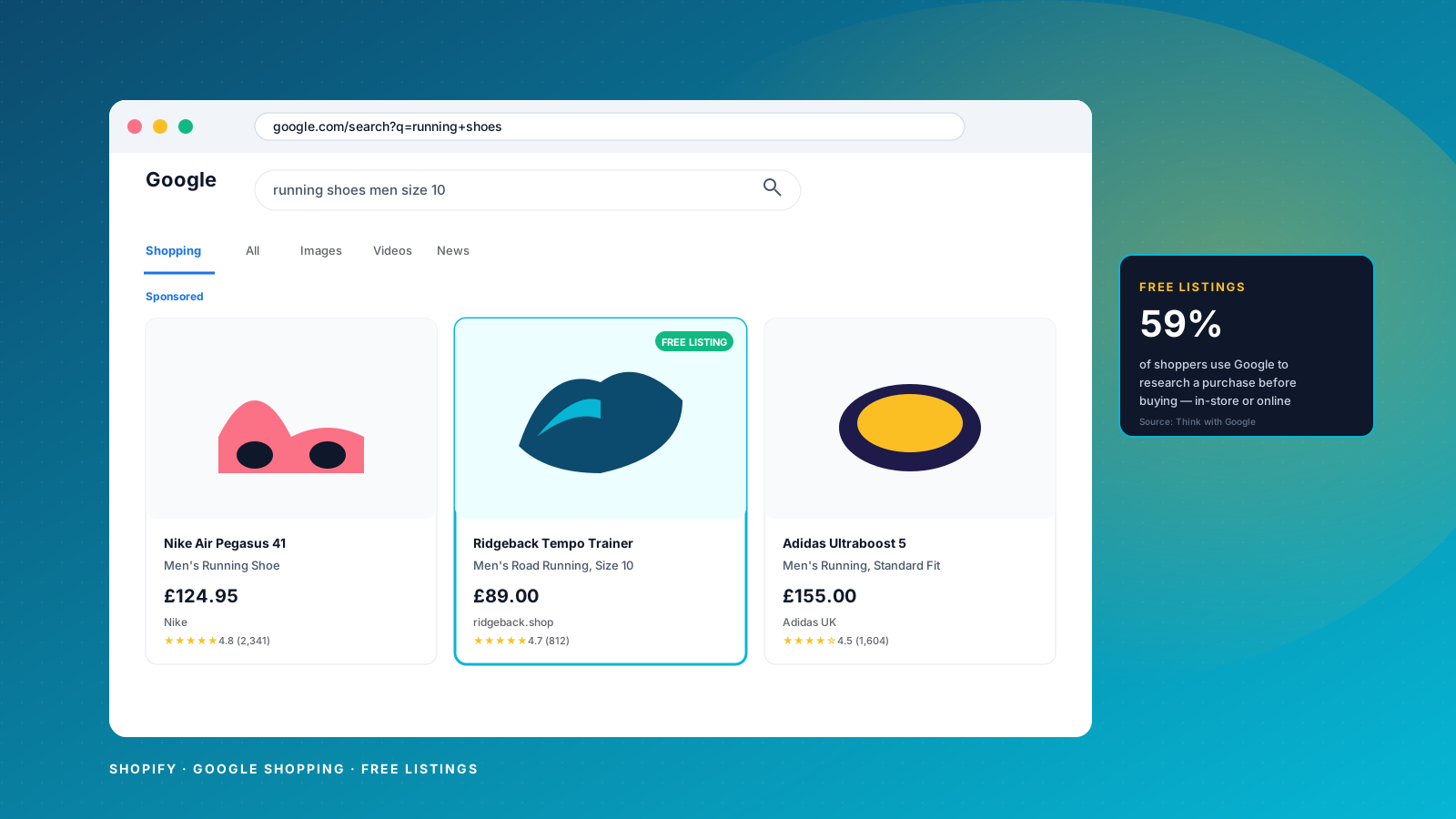
Quick answer: Shopify and Google Shopping in 2026
To get a Shopify store onto Google Shopping you need three things: a Google Merchant Center account linked to Google Ads, the Google & YouTube sales channels app installed in Shopify to sync your product feed, and clean product information on every product, including a valid GTIN, an accurate Google product category, a descriptive product title and a clean white-background image. Once that account is approved, the same product feed powers free listings across the Shopping tab, YouTube and Google Search, plus paid Shopping ads inside Performance Max campaigns. Most of the work is in the feed and the product information itself, not in the ad campaign.
Why Google Shopping matters for Shopify stores
Shopping ads now account for roughly 85% of all clicks on Google Ads and over 76% of retail search ad spend, according to industry data from Google partners. For Shopify merchants, that means a properly configured Shopping feed is no longer optional in any serious ecommerce marketing plan. The same product information that powers your paid Shopping ads is the information Google uses for free listings, so a single round of feed work moves both marketing channels at once.
Free listings give Shopify stores visibility across Google Search, the Shopping tab, Google Images and YouTube without an advertising budget. Paid Shopping ads then sit on top of that organic presence and amplify it. Stores that treat product information and the feed as a marketing asset, not an admin task, win on both fronts. Stores that ignore feed quality leak revenue to competitors who have done the work, and their products fall behind on every Shopping surface Google operates.

How Google Shopping SEO works
Google Shopping is driven by product data, not by keywords on a page. Google crawls your product feed, your product pages and your structured data, then matches your products to search queries based on how well the information lines up. The more complete and specific your product attributes, the more searches your store can appear for.
Unlike standard SEO, there is no meta title or H1 to fight over. The signals that move the needle are product titles, product descriptions, Google product categories, GTINs, pricing, availability and product images. When any of these pieces of product information are missing or wrong, you lose visibility in both free listings and Shopping ads. When they are accurate, complete and updated daily, Google can confidently surface your products against thousands of long-tail search queries.
Setting up Google Merchant Center correctly
Google Merchant Center is the dashboard that controls how Shopify products appear across Google. The first step is to create a Google Merchant Center account, verify and claim your store domain, and then link the account to Google Analytics and Google Ads. Skipping the Ads link means you cannot run Shopping ads or Performance Max later, so do this early even if you only plan to run free listings.
Inside Merchant Center, configure your business information so it matches your Shopify store exactly. Inaccurate business information causes account suspensions. Configure shipping settings and shipping rates for every country you sell to, plus delivery times and returns policies, so Google can show accurate shipping information in Shopping listings. Set tax settings in the same place. These details improve click-through rates because shoppers see the true total cost before they click on the listing.

Feed creation and the Shopify Google & YouTube app
Your product feed is the file that sends product information from Shopify to Google Merchant Center. It carries product titles, descriptions, images, prices, availability, GTINs and Google product categories. Feed quality decides how often your products appear in Shopping results.
Most Shopify stores start with the official Google & YouTube channel app. It is one of the most-installed apps on the Shopify App Store and handles the bulk of the configuration automatically. From your Shopify admin, navigate to Settings, then apps and sales channels, install the app, connect your Google account, select your Merchant Center account, and choose your target market countries and language. The app then pulls your product information directly from Shopify into Merchant Center.
Larger product catalogues often outgrow the default app. A dedicated feed app such as Simprosys, Feed for Google Shopping or DataFeedWatch gives more control over attributes, custom labels, product types and supplemental feeds. Whichever route you take, configure the feed to refresh at least daily so Google sees up-to-date pricing, availability and product information across every product in the store.
Product titles and descriptions
Product titles are the single most powerful signal in Google Shopping. A well-structured title can triple impressions, clicks and conversions on the same product. The formula most agencies and partners agree on is: Brand + Product Type + Key Attribute (gender, colour, material) + Model or Variant + Size or Quantity. For example, "Nike Air Zoom Pegasus 38 Men's Running Shoes Breathable Blue Size 10" outperforms "Blue Nike Shoes Size 10" because the first 70 characters carry the searchable attributes shoppers actually type.
Keep titles between 50 and 70 characters where possible and never exceed 150. Descriptions should sit between 500 and 1,000 characters, repeat the key attributes from the title, and add detail that helps Google categorise the item. Use Shopify metafields or your feed app to override the storefront title when the product page title is more brand-led than search-led. The product page can read like a campaign, the feed title should read like a specification.

Product identifiers, categories and images
GTIN, MPN and brand are the three product identifiers Google uses to match your items against its global catalogue. Most branded products require a valid GTIN such as a UPC, EAN or ISBN. If a product has no GTIN, supply an MPN and set the identifier_exists attribute to "no". Incorrect identifiers are the single most common cause of Shopping ads disapprovals on new Shopify accounts, because Shopify's import flow leaves the barcode field blank by default.
The google_product_category attribute decides which Shopping shelf your item appears on. Shopify's own product taxonomy maps cleanly to most Google categories, but verify the mapping inside Merchant Center for every product type. The more specific the category, the more relevant the search queries you appear for.
Product images should be at least 800x800 pixels with the product filling at least 85% of the frame on a plain white background. No text overlays, no watermarks, no promotional graphics on the main image. Use the additional_image_link attribute to add up to 10 supporting images per product (different angles, lifestyle shots, packaging). Variant images must match the selected option, so the red shirt shows the red image, not the blue one.
Performance Max for Shopify stores
Performance Max is now Google's default campaign type for Shopping ads. It replaced standard Shopping campaigns for most use cases, and it runs your product feed across the entire Google ads inventory: Search, Shopping, Display, YouTube, Discover and Gmail. For Shopify stores already syncing a clean feed, Performance Max can be launched directly from the Google & YouTube channel app inside Shopify, which provisions the campaign, asset group and conversion tracking in one flow.
The trade-off with Performance Max is control. You hand bidding and placement decisions to Google's machine learning in exchange for broader reach. Three things you do still control matter most: the asset group (text, images, video), the audience signals (existing customers, interest groups, custom segments) and the conversion goal. Feed everything Google asks for, then set a conversion goal of "Purchase" with a real ROAS target rather than maximising clicks. Google needs at least 15 conversions over a 30-day period before Target ROAS bidding settles, so start on Maximise Conversions until you have the data.
Standard Shopping campaigns still exist and are still useful when you need product-level bid control, negative keywords or strict budget allocation. Most Shopify stores end up running a Performance Max campaign for scale and a Standard Shopping campaign for brand defence and high-margin lines.
Conversion tracking and attribution
Without accurate conversion tracking, Shopping ads cannot optimise and the data in Google Ads and Merchant Center is unreliable. The Google & YouTube channel app installs the Google tag (gtag.js) across Shopify for most setups, but verify it is firing on the order confirmation page before you spend on ads. A test purchase using Shopify's bogus payment gateway confirms the conversion is recorded against the right campaign.
In Google Ads, create a Purchase conversion action with a 30-day attribution window and enable enhanced conversions so hashed first-party customer data improves measurement accuracy. Switch attribution from last-click to data-driven attribution. Last-click underweights Shopping ads because Shopping sits in the consideration phase, not the closing phase. Data-driven attribution credits Shopping where it belongs, which then trains the bidding algorithm to spend more on it.
If you also run Google Analytics 4 or any other analytics tool, configure them to read the same purchase event so you are not double counting conversions. The numbers in Shopify orders, in Google Ads conversion tracking and in Google Analytics should all reconcile within a small margin.

Shopping experience scorecard and the Top Quality Store badge
The Shopping experience scorecard is a Merchant Center programme that rewards stores delivering strong customer experiences. Google measures shipping speed, returns, order resolution and customer support, then assigns each store a tier. Stores in the top tier earn the "Top Quality Store" badge, which displays on free listings and Shopping ads, and they get prominent placement on the Shopping tab.
For Shopify stores, the levers that move the scorecard are mostly operational: fast and reliable shipping configuration, clear returns policy, proactive customer support and accurate order tracking. The badge does not cost extra and it directly increases click-through rates because shoppers see a trust signal on the listing before they click. Stores ignoring it leave conversion rate on the table.
Selling in multiple countries and languages
If you sell internationally, you need a separate product feed for each country in Merchant Center. The Google & YouTube app can configure multi-country feeds from a single Shopify admin, but you have to supply the right pricing, shipping rates and language for each market. Currency on the product feed must match the currency shown on the product page, or Google will disapprove the product.
For non-English markets, the feed language must match a translated version of the product page on the storefront. Shopify Markets handles most of this if it is configured properly: pricing per country, language per country and a clean storefront for each. Without Markets, you typically need a feed management tool to map your store to each Merchant Center country configuration and to keep product information aligned across all countries the store sells to.
Fixing errors and disapprovals
Errors and disapprovals stop products appearing in Shopping ads and free listings. The Diagnostics tab in Merchant Center is where every issue surfaces: account-level problems, feed warnings and item-level disapprovals. Common Shopify-specific issues include mismatched prices between Shopify and the feed (caused by stale feed syncs), missing GTINs, the wrong Google product category, image issues (text overlays, low resolution) and shipping settings that do not cover every country in the feed.
Fix the underlying issues on the affected products in Shopify first, force a feed resync through the Google & YouTube app, then request a manual review in Merchant Center if a disapproval has not cleared in 72 hours. For repeat offenders, use feed rules inside Merchant Center to override problem attributes at the feed layer, or supplemental feeds for seasonal overrides like sale prices and custom labels.
Monitoring performance over time
Treat Merchant Center as a reporting tool, not just a configuration screen. The Diagnostics tab shows account health and lists any disapproved products. The Price competitiveness report compares your prices against the cohort selling similar products. The Best sellers report identifies high-demand products where you have an opportunity to bid more aggressively. The Performance report breaks down clicks and impressions by product, country and brand.
Combine Merchant Center insights with Google Ads campaign reports and Shopify analytics for a complete picture. Watch impression share, click-through rate, conversion rate and ROAS at the campaign, asset group and product level. When a product drops in impressions, it is usually one of three things: a disapproval, a pricing competitiveness warning, or a stale image. Catch them early and feed performance stays stable.

What we've actually seen move the needle on Shopify Google Shopping
The single biggest performance lift we see on new Shopify stores connecting to Google Shopping is GTIN coverage. Most Shopify catalogues import with the barcode field blank, and Merchant Center treats every one of those products as "identifier missing" until they are backfilled. Once GTINs are in place, impressions on branded products typically lift within 14 days because Google can finally match them against its global catalogue. No bid change, no feed change beyond the identifier itself.
The second is structured product titles. Brands write storefront titles for shoppers already on their site; Shopping ads compete against generic, attribute-heavy listings written for cold queries. Overriding the feed title with a specification-led format (brand, type, material, size) using metafields or a feed app produces some of the largest impression jumps we see, and it costs nothing in ad spend.
Charle x SEO
Optimising a Shopify product feed for Google Shopping is not a one-off task. Pricing shifts, products turn over, Merchant Center changes its requirements and Performance Max adds new asset placements. At Charle, our SEO agency team specialises in helping Shopify brands maximise organic visibility across Google Shopping, Search, Images and YouTube through technical optimisation and rigorous product data management.
We combine deep Shopify expertise with proven ecommerce SEO strategies to strengthen product titles, enhance structured data, improve feed accuracy and run paid Shopping ads alongside the free listings. Whether you need full-scale feed optimisation, ongoing management or support with a complex international catalogue, our ecommerce SEO specialists can help you increase traffic, conversions and long-term revenue across all of Google's surfaces.
If you want to improve Shopping visibility, solve feed errors or rebuild your conversion tracking, get in touch with us to discuss your goals.